vCard Garden · For General Contractors
A digital business card that survives the job site
Your photo, company logo, services, project photos, and a one-tap Save Contact button — all on one mobile page. Share your QR code at every job and stay in every customer's phone.

Paper cards don't survive the construction business
You finish a remodel. The homeowner is thrilled. They ask for your card so they can pass your name to their neighbor who needs a deck built. You hand them a paper card — and it goes on the kitchen counter next to the paint samples, the tile receipts, and three other contractor cards they collected during the project.
By the time the neighbor actually asks, that card is gone. They Google "general contractor near me" and call whoever has the best reviews. That was your referral.
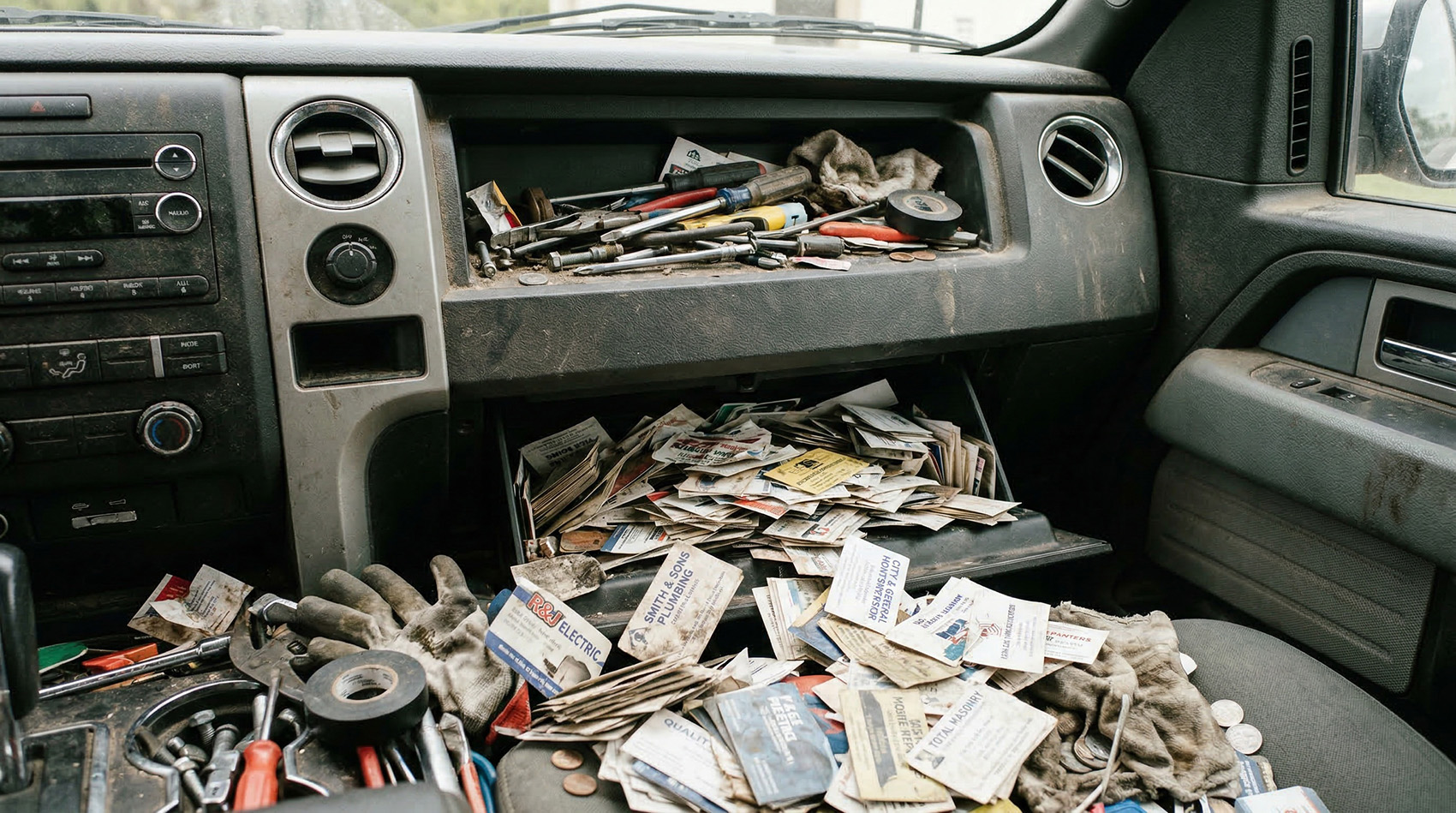
This is where most contractor business cards end up — yours and everyone else's.
This is what your customers see
A professional mobile page with everything a homeowner needs to contact you, save your number, and see your work — no app required on their end.

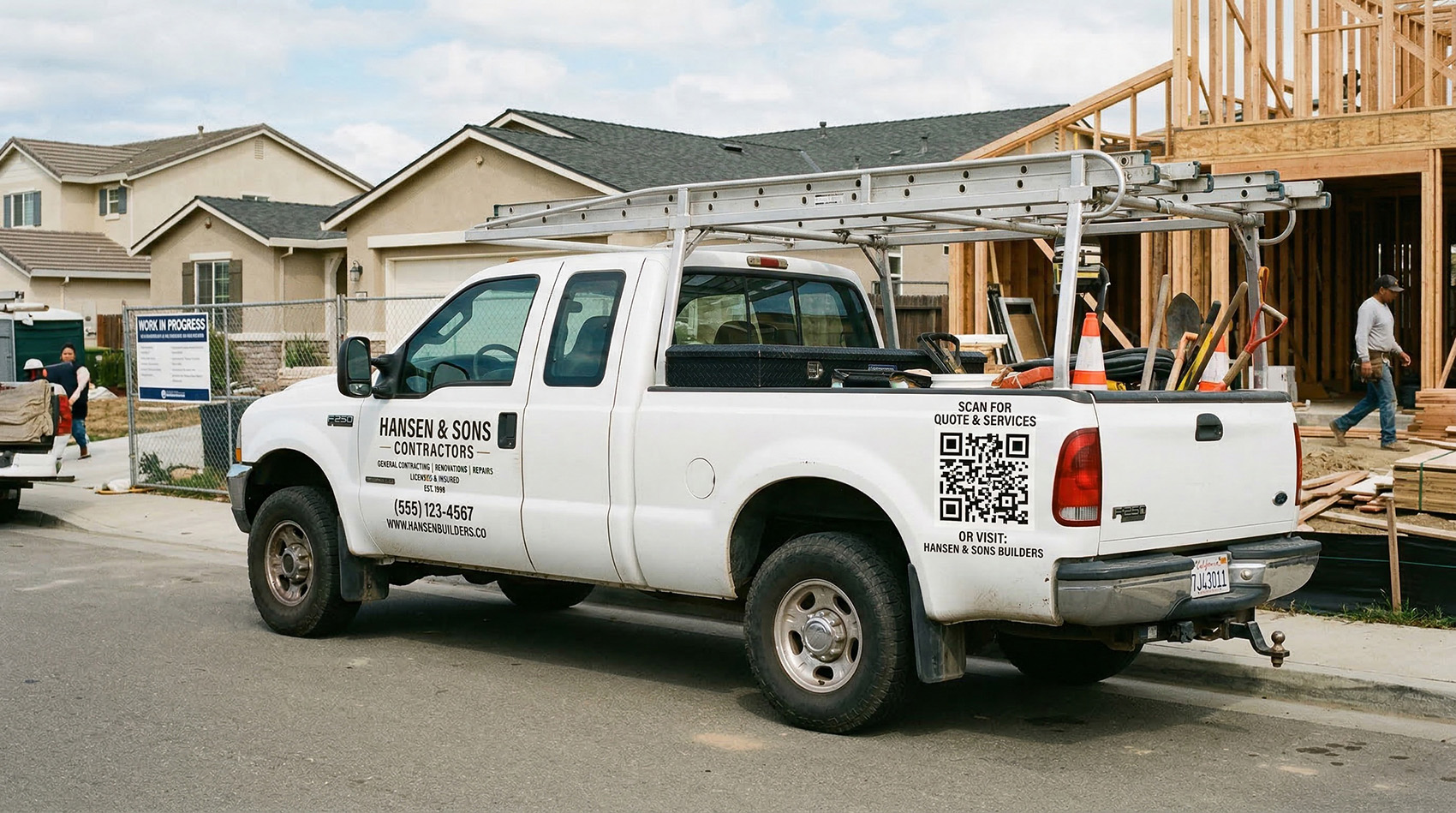
Your QR code works everywhere your truck goes
Every vCard Garden page comes with a free QR code you can download and print anywhere. Contractors are putting it to work in places a paper card can't reach:
- Truck wraps and magnets — every job site, every parking lot, every stoplight becomes a potential lead
- Yard signs during a project — neighbors see the sign, scan the code, and save your info before you even finish the job
- Estimates and proposals — print your QR code on every written estimate so the homeowner can save your contact while they're deciding
- Door hangers and flyers — one code, updated info forever, no reprinting when your number changes
- After the job — text your link to the homeowner when you leave. They save your contact with one tap and you're set for the referral
When your phone number or company info changes, you update your page once. Every QR code you've ever printed still works.
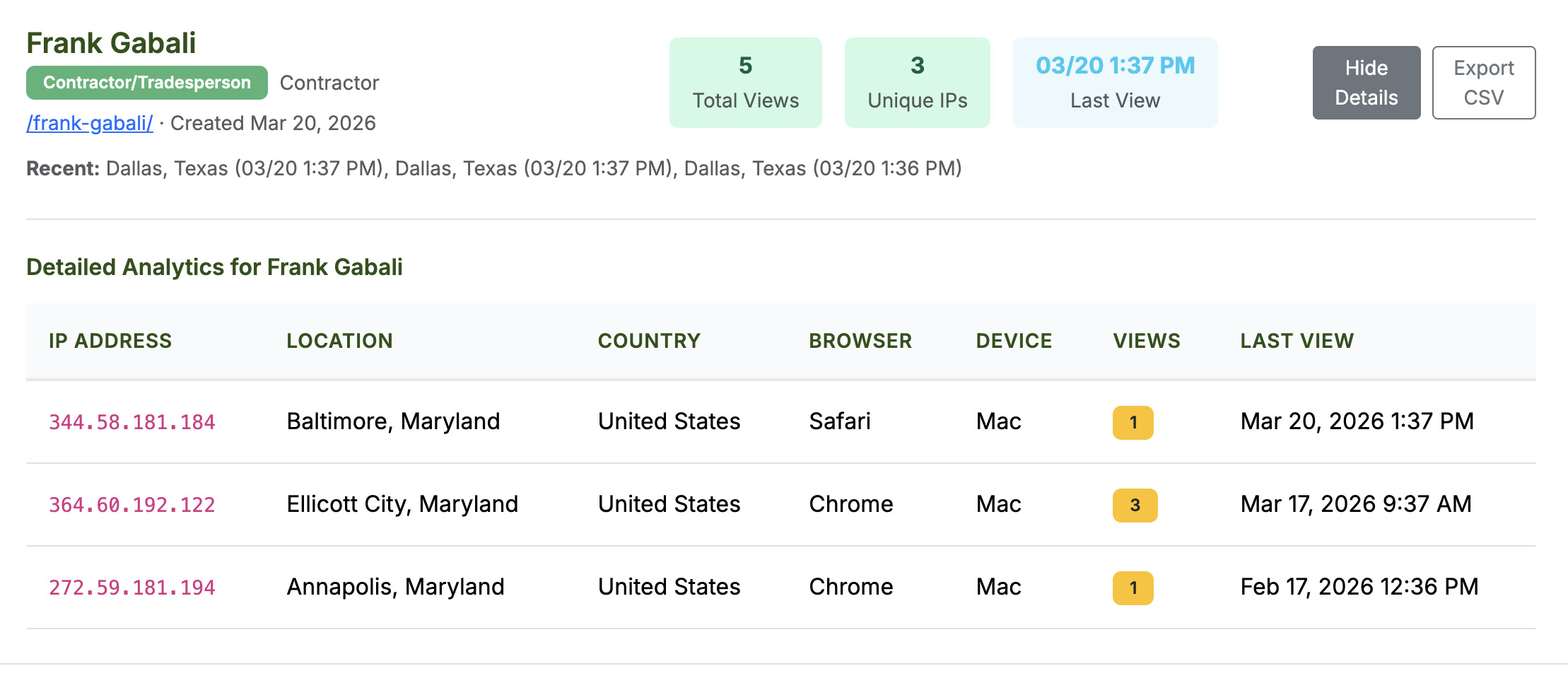
See who's checking you out
Every vCard Garden page includes analytics that show you how many people viewed your card, where they came from, and what device they used. You'll know which marketing is actually working — truck QR, yard signs, door hangers — without guessing.
Update your card without reprinting anything
Contractors add services. They change phone numbers. They bring on a partner or rebrand the company. Every change used to mean reprinting business cards, truck magnets, door hangers — all of it.
With vCard Garden, you log in, make the change, and it's live in seconds. Every QR code you've ever printed still works and now shows the updated info. The 500 door hangers you printed last fall? Still current. The truck magnet with your old number? Still points to the right page.
The referral advantage
Contracting runs on referrals. A happy homeowner tells their neighbor, their coworker, their family. But here's what usually happens: they say "I know a great contractor, let me find his card" — and they can't find it. The referral dies right there.
When your contact is saved in their phone, the conversation goes differently. They pull up your name, tap Share, and text your info directly to the person who needs work done. Your name, your photo, your phone number — forwarded in two seconds. That's a referral that actually connects instead of one that gets lost in a junk drawer.
Set up in about 10 minutes
No coding. No design work. If you can fill out a form, you can build your page.
Pricing
Start free for 14 days. After that, plans start at $9/month — less than a single box of business cards that'll be outdated the next time you change your number or add a service.
- Up to 5 pages
- QR code + Save Contact
- Photo + logo upload
- Up to 5 project photos
- Basic analytics
- Up to 25 pages
- Everything in Starter
- Export analytics to CSV
- Up to 50 pages
- Everything in Pro
Frequently asked questions
Related pages
Stop losing referrals to a lost business card
Set up your digital business card in 10 minutes. Put your QR code on your truck, your estimates, and your yard signs. Stay in every customer's phone.
Try It Free for 14 Days →