A QR code with your photo — on the page and in their phone.
A code can't carry an image itself — it runs out of room and stops scanning. So yours opens a page instead. They see your face at full size, tap once, and your headshot saves into their contacts with everything else.
No signup to try it. No credit card for the trial.
What happens when someone scans
They point their camera
No app, no signup. The phone's built-in camera reads it and offers a link.
Your page opens with your face on it
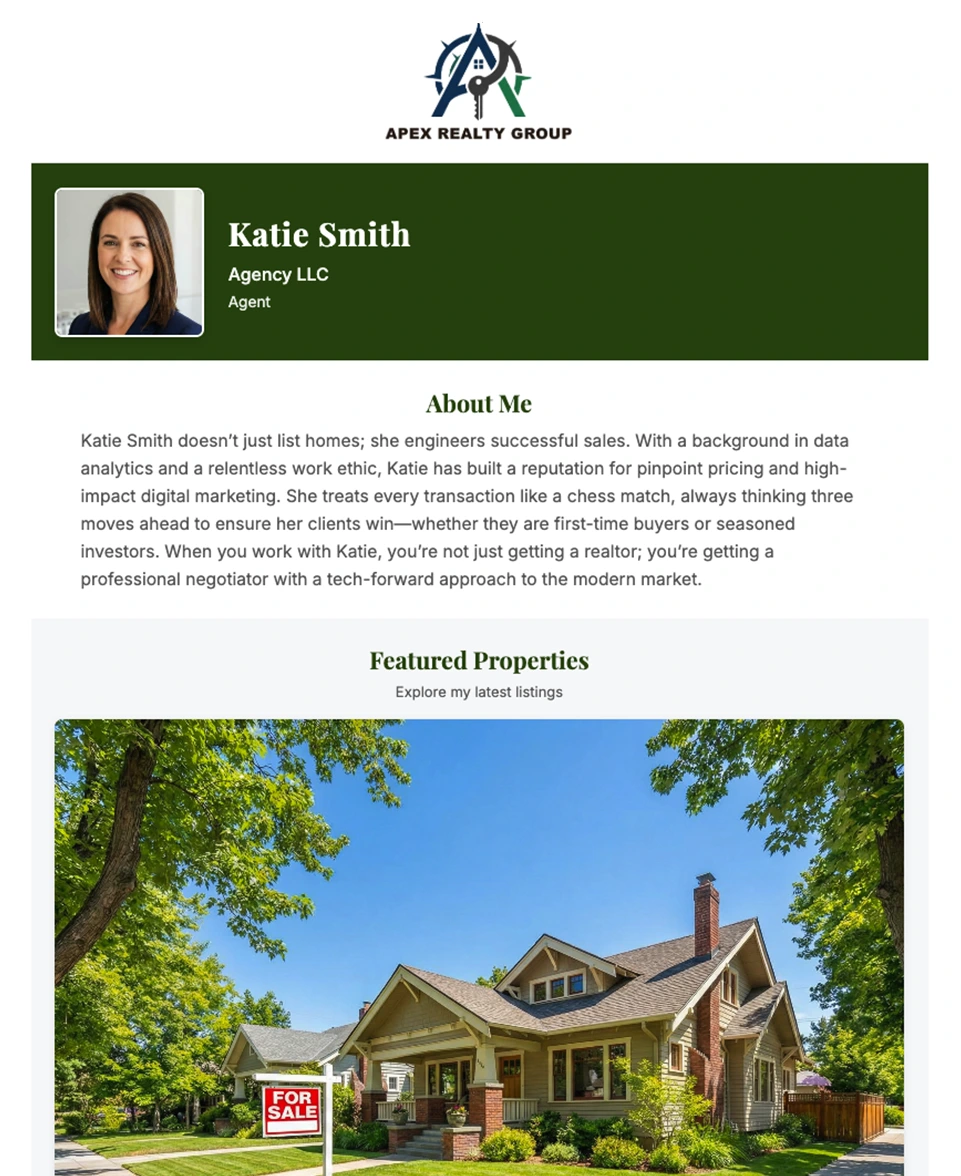
Headshot at full size, company logo, bio, contact details, social links.
They tap Save Contact
Your details and your headshot go into their phone together — so your face shows on caller ID afterward. iPhone and Android.
Print it once
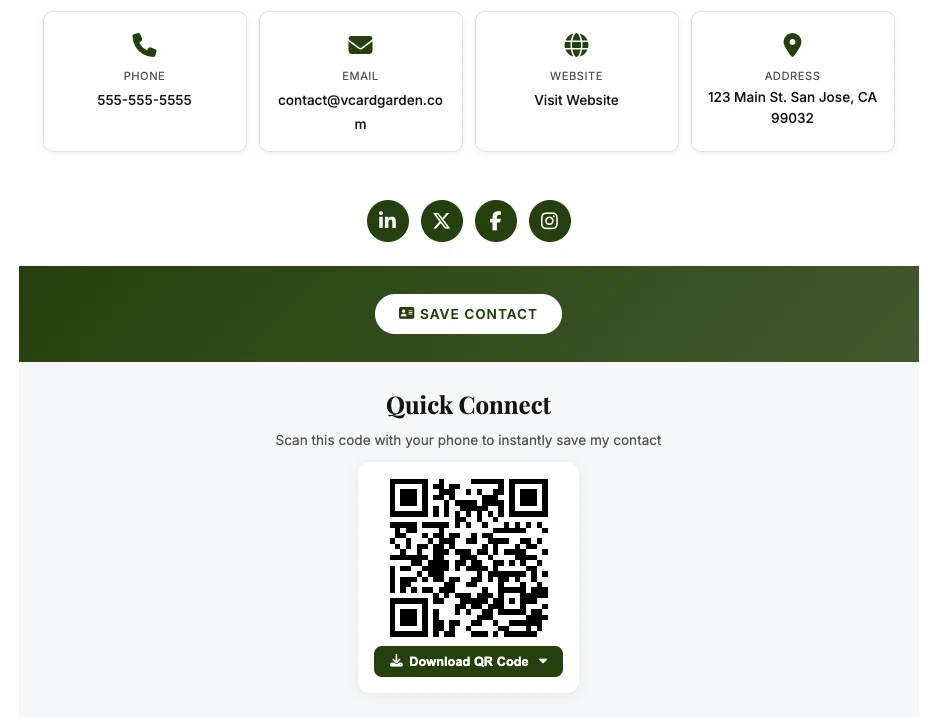
Download your code as a PNG, SVG, or PDF and put it wherever people meet you. Because it opens your page, a new headshot or a new number never means a reprint.
Yard signs and vehicle wraps
Scannable from the sidewalk, where nobody is going to type a phone number.
Printed business cards
The card gets thrown out. The contact it put in their phone doesn't.
Conference badges
Faster than swapping cards, and they leave with your face attached to your name.
Email signatures and flyers
The same code works on screen and on paper.
Why a standard QR code can't do this
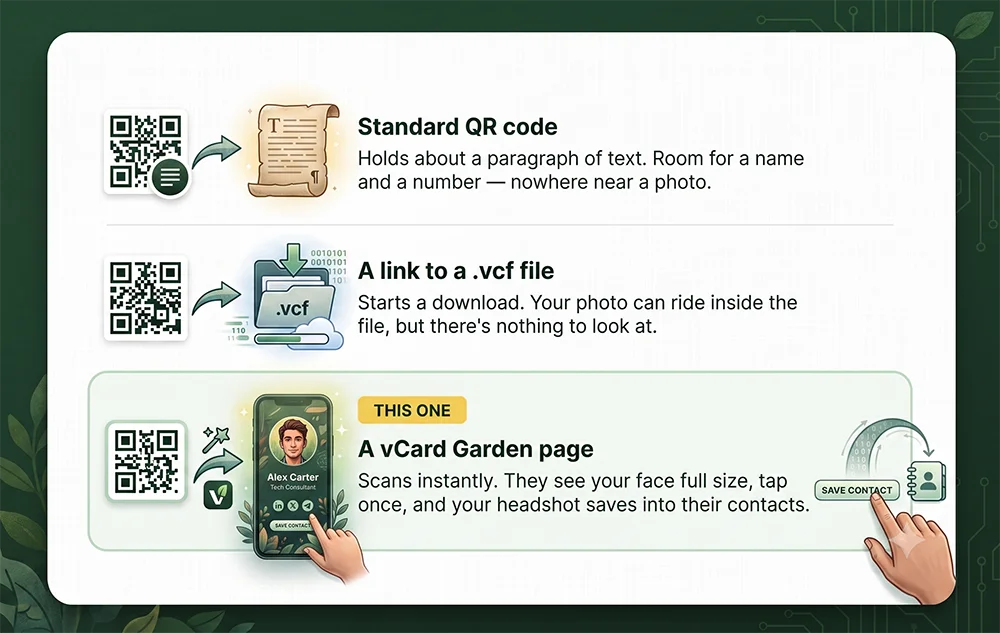
A standard contact QR code stores your details inside the pattern itself — your name, number, and email are the black and white squares. That's why it works offline forever, and it's also why it's stuck. Change your phone number and every printed copy is wrong.
It also holds about 2,900 bytes, and a usable headshot is many times that. Encoders that let you try anyway get there by shrinking your face to a thumbnail and packing the pattern so tightly a phone camera can't read it at business-card size. You end up choosing between a code that scans and a photo nobody sees.
Pointing the code at a page removes the choice. All the code carries is a short address, so it stays sparse and easy to scan — and the page behind it has no size ceiling at all. That's what makes room for a full-size photo, a logo, a bio, and everything else a QR code on its own could never hold.
Side by side
| Standard QR code | Link to a .vcf file | vCard Garden page | |
|---|---|---|---|
| What they see on scan | A save-contact prompt | A file download prompt | Your page, with your face on it |
| Photo | No room for one | In the saved contact only | Full size on the page and in the saved contact |
| Bio, links, listings | No | No | Yes |
| Changing your details | Reprint everything | Reissue the file | Edit the page, printed codes still work |
| Save to their phone | Yes | Yes | Yes, one tap |
| Works offline | Yes | No | No |
Just want the file, without a page?
A vCard Garden page embeds your headshot in the contact file automatically. If you don't want a page at all and only need a one-off .vcf with your photo in it, that's a free tool.
Getting a headshot that works
Face a window
Natural light on an overcast day is the cheapest good lighting there is. No harsh shadows.
Keep the background plain
A white, grey, or pale blue wall. Anything busy turns to mush at thumbnail size.
Shoot at eye level
Camera at or just above eye height, four to six feet back, then crop to head and shoulders.
Crop it square
Square images sit best in contact thumbnails on both iPhone and Android.
Take far more than you need
Twenty or thirty frames on a timer. You're looking for one.
Use a recent one
The point is that people recognize you when you turn up. A photo from three haircuts ago doesn't.
Questions
One code. Your face. One tap to save.
Build your page, scan your own code, and see exactly what the other person sees. Decide afterwards.