Convert CSV to VCF — Excel Files Too
Free browser-based converter for importing spreadsheets into iPhone, Android, Outlook, or Google Contacts.
Importing contacts is hard. Make saving yours easy with vCard Garden →
Upload the .xlsx or .csv export from Follow Up Boss, Jobber, HubSpot, or plain
Excel, match your columns, and download a properly formatted vCard file for your phone. Free with no
contact limit, no signup, and nothing uploaded — the whole conversion runs on your own device.
Drag your spreadsheet here
.xlsx, .xls, or .csv — read on your device, never uploaded
Green fields were matched automatically from your column headers. Change any that look wrong — the preview updates as you go.
One file, every contact, vCard 3.0 — free with no row limit
You're getting their contacts into your phone. How do you get into theirs?
Nobody types a phone number off a business card any more. Give people a link and a QR code instead — they scan, tap once, and you're saved with your photo attached.
No signup to preview · 14-day trial · From $9/mo
Your file is downloading
Here's how to get it onto your phone.
- Sign in at iCloud.com and open Contacts.
- Click the sidebar menu, choose Import vCard.
- Pick the
contacts.vcffile you just downloaded.
Contacts sync to every device on that Apple ID. Emailing the file to yourself also works, but iCloud handles long lists more reliably.
- Go to contacts.google.com.
- Click Import in the left sidebar.
- Select
contacts.vcfand confirm.
They sync down to any Android phone signed in to that account.
- Outlook desktop imports vCards one at a time — painful for a long list.
- For bulk, load the .vcf into Google Contacts or iCloud first, then sync.
- Or import your original spreadsheet directly: People → Manage → Import contacts.
- Double-click
contacts.vcf, or open Contacts and choose File → Import. - macOS will ask whether to add all the cards at once — say yes.
How do your clients save your number?
You just spent a few minutes making sure a spreadsheet landed in your phone properly. The people you meet get a worse version of that — squinting at a card and typing your number by hand. Most of them don't bother.
A vCard Garden page is one link and one QR code. They scan it, tap Save Contact, and you're in their phone with your photo. Nothing to install on their end, and you can change your number later without reprinting a thing.
Build yours free — no signup to preview →Takes about two minutes. No credit card.
Troubleshooting & common questions
The problems people actually hit when converting a spreadsheet of contacts.
How to convert Excel contacts to VCF
A spreadsheet stores contacts as rows and columns. A phone stores them as vCards. The conversion is really a translation job: deciding which column means "mobile number" and which means "company," then writing each row out in the format phones expect.
That's why this tool asks you to check the mapping. Every CRM names its columns differently — one export says "Primary Phone," another says "Mobile," a hand-built sheet says "Cell #." The converter reads your headers and makes its best match, and you correct anything it gets wrong before a single contact is written.
What your spreadsheet needs
One header row at the top, one contact per row after that. Column order doesn't matter and neither do the header names — that's what the mapping step is for. Blank cells are skipped, so a contact with no email is fine.
The only genuinely required field is a name. Without one, phones import a contact with no title and you won't be able to find it.
Importing your VCF file
iPhone and iCloud
iCloud.com → Contacts → sidebar menu → Import vCard. Contacts sync to every device on that Apple account. Emailing the .vcf to yourself works too, though long lists import more reliably through iCloud.
Android and Google Contacts
contacts.google.com → Import → select your .vcf file. They sync down to any Android phone signed in to that account. On the phone you can also open the file straight from Downloads.
Outlook
Outlook desktop imports one vCard at a time, which is painful for a long list. For bulk imports, load the .vcf into Google Contacts or iCloud first, or import your original CSV through People → Manage → Import.
Mac Contacts
Double-click the .vcf file, or open Contacts and choose File → Import. macOS asks whether to add all the cards at once.
What a vCard actually looks like
Each contact in your downloaded file is a short block of plain text:
BEGIN:VCARD
VERSION:3.0
N:Mitchell;Sarah;;;
FN:Sarah Mitchell
ORG:Acme Roofing
TITLE:Regional Manager
TEL;TYPE=CELL:(512) 555-0148
EMAIL;TYPE=INTERNET:[email protected]
END:VCARD
Your download contains one of these per row, in a single file. Phones read them all in one go.
Your contact list never leaves this tab
A client list is usually the most sensitive file a small business owns. Worth knowing where it goes.
Read in the browser
Your spreadsheet is parsed by JavaScript on your own device. There's no upload step, because there's nothing to upload to.
Nothing stored
No copy is kept, no account is created, no email is collected. Close the tab and it's gone from memory.
Works offline
Once this page has loaded you can disconnect from the internet and it still converts. That's the simplest proof nothing is being sent anywhere.
Then make it easy on the other side
Importing contacts is the half of the problem you control. The other half is what happens when someone wants your details — and that's the half you're currently losing.
A vCard Garden page gives you a link and a printable QR code. Put it on a truck, a yard sign, an invoice, or your phone screen. People scan it, tap Save Contact, and you're in their phone with your photo attached.
Change your number later and every code you've already printed still works.
Try it free →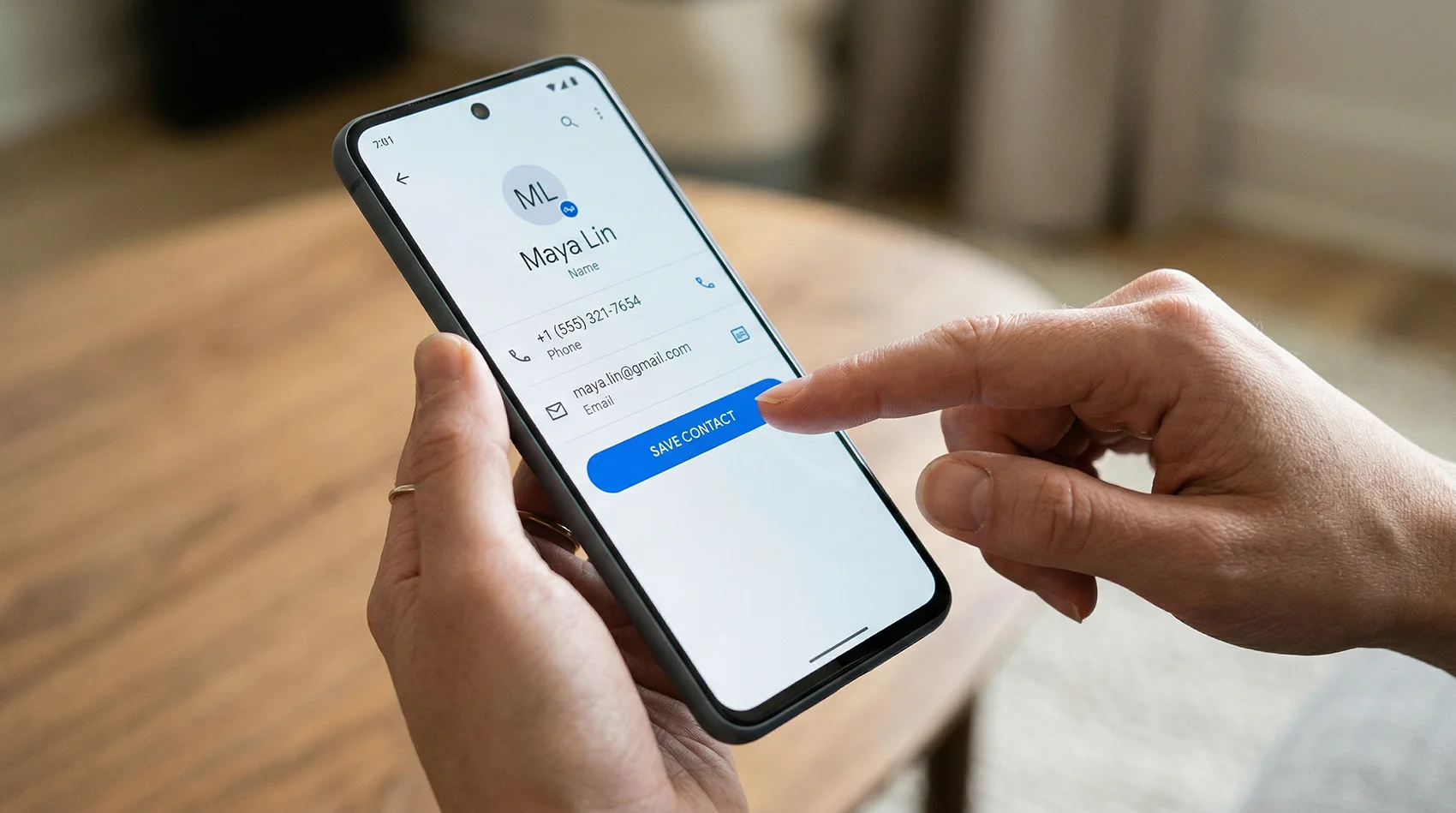
One tap saves your name, photo, number, and address.
How this compares to the Excel-to-VCF software
Most tools for this job are Windows programs you download and install, and the free version stops after a handful of contacts. Here's the honest comparison.
| Typical desktop converter | Typical online converter | This tool | |
|---|---|---|---|
| Free limit | Often 10–25 contacts, then paid | Varies | No limit |
| Install required | Yes — usually Windows only | No | No |
| Your contacts | Stay on your machine | Uploaded to their server | Never leave your browser |
| Signup or email | Often required for the download | Often required | Not required |
| Column mapping | Usually yes | Often no | Yes, with auto-detect |
| Preview before converting | Spreadsheet grid | Rarely | The finished contact |
| Mac, iPad, phone | Usually not | Yes | Yes |
Based on the free tiers publicly advertised by the widely-listed Excel-to-vCard tools as of July 2026. Check any specific product's site for current terms.
Stop being the hardest contact to save
Your own contact page with a QR code, a one-tap save button, and details you can change any time — without reprinting a thing.