Free WiFi QR Code Generator
Enter your network name and password, get a QR code. Guests scan it with their phone camera and connect automatically — no typing, no spelling out your password letter by letter. Runs in your browser, nothing stored.
Generate Your WiFi QR Code
Need a QR Code That Shares Your Contact Info Too?
vCard Garden gives you a professional page at vcardgarden.com/your-name with a built-in QR code and one-tap contact download. People scan your code, see your page, and save your info — no app needed on their end.
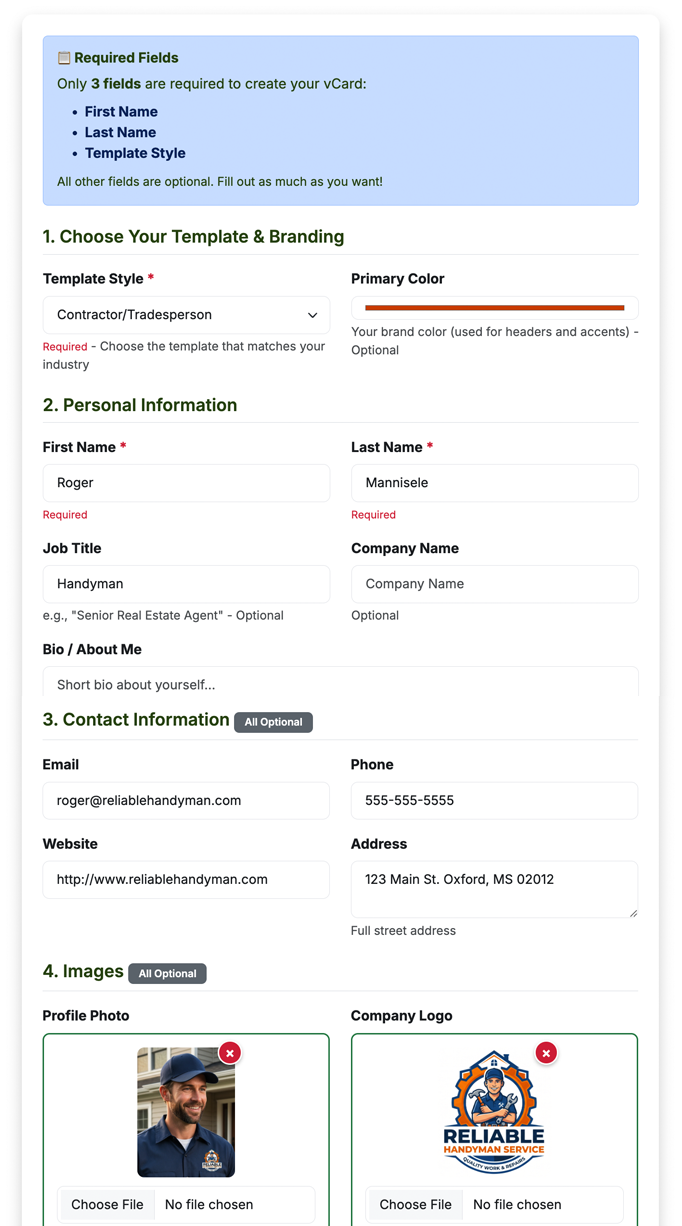
You fill this out
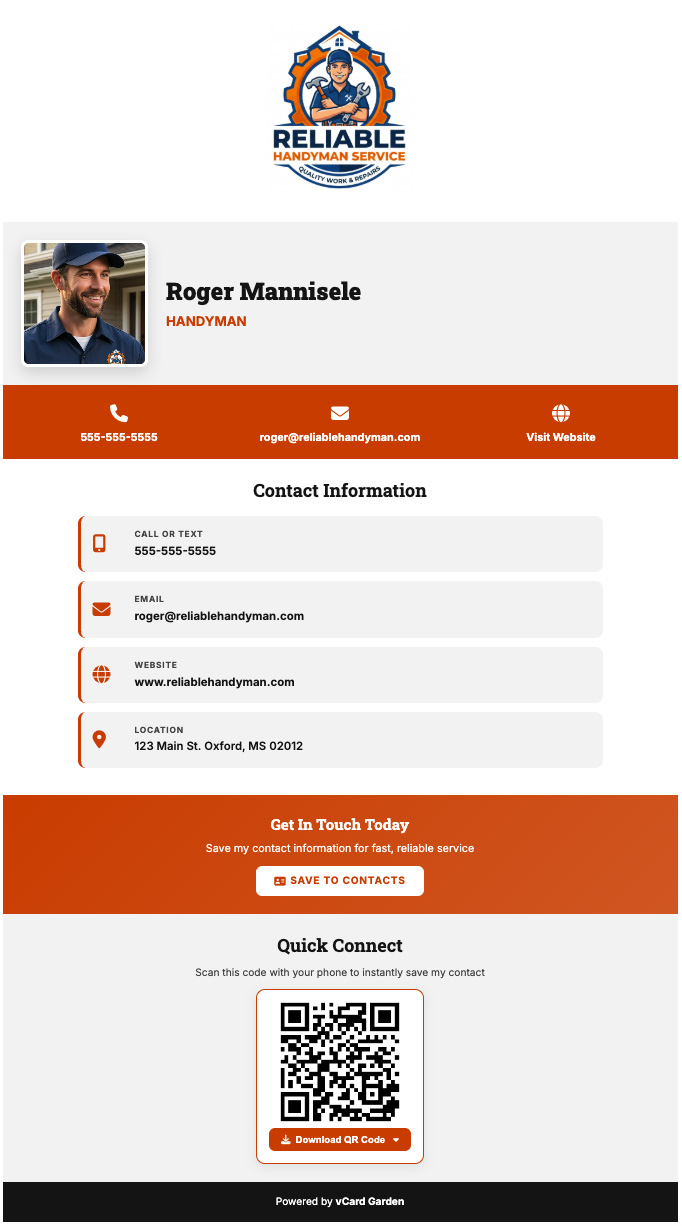
You get this page — with a QR code and Save Contact button
What you get with a vCard Garden page
A WiFi QR code gets people on your network. A vCard Garden QR code gets you into their phone — permanently.
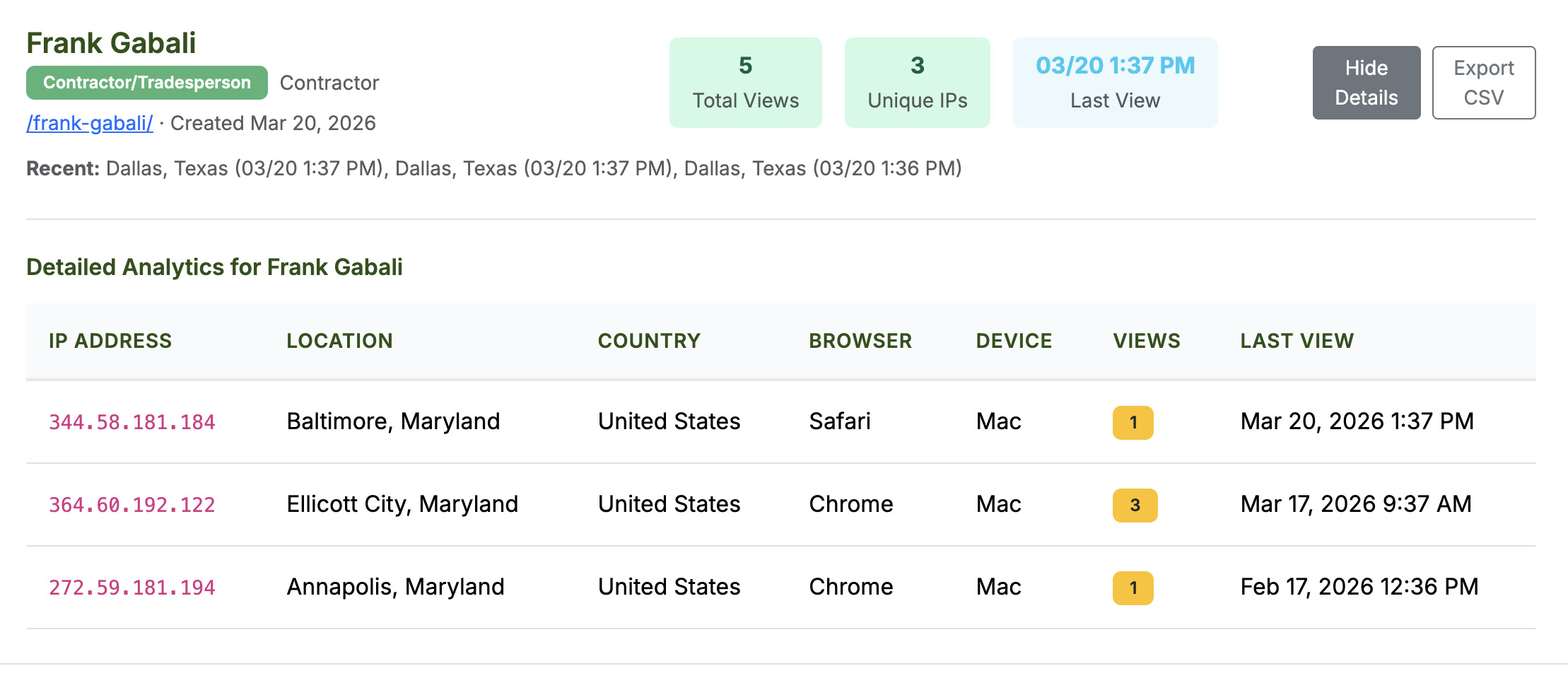
Know exactly who's scanning your QR code
Every page comes with analytics built in — no tracking snippets to paste, no separate account to set up. See how many people viewed your page, where they scanned from, and what device they used.
Where to Use a WiFi QR Code
A WiFi QR code replaces the awkward moment of spelling out your password. Print it, frame it, or display it on a screen — guests scan and connect in seconds.
🏠 At Home
Print it and stick it on the fridge or by the front door. When guests ask for the WiFi password, point at the code. No more dictating "capital B, lowercase r, the number 7, underscore..."
☕ Cafes & Restaurants
Put it on table tents, the counter, or the wall. Customers connect without asking staff, and you don't have to write the password on a chalkboard that everyone photographs anyway.
🏢 Offices & Coworking
Frame it in the lobby, conference rooms, or reception. New employees, clients, and visitors connect to the guest network without an IT ticket.
🏨 Hotels & Airbnbs
Put the QR code in your welcome guide or on the nightstand. Guests don't need to find the little card with the 20-character password — they scan and they're online.
🎉 Events & Conferences
Display it on the registration table, projected on a screen, or printed on badges. Hundreds of people connect without anyone announcing the password into a microphone.
💈 Salons, Clinics & Shops
Customers waiting for an appointment can connect instantly. Frame it by the waiting area — it's a small touch that makes your space feel more professional.
How Does a WiFi QR Code Work?
A WiFi QR code encodes your network credentials in a standard format that phones understand. When someone scans it, their phone reads the network name, password, and security type — and offers to connect automatically.
The format looks like this:
That's it — plain text with a specific structure. No internet connection is needed to scan the code itself (since the whole point is getting connected). The phone's camera reads the pattern, parses the credentials, and handles the rest.
What phones support WiFi QR codes?
🍎 iPhone — iOS 11 and later. Open the Camera app, point at the QR code, tap the notification to join the network.
🤖 Android — Android 10 and later connect automatically. Older versions may need Google Lens or a QR scanner app.
Both platforms handle WPA, WPA2, WPA3, and WEP networks. Open networks (no password) work too.
Tips for Your WiFi QR Code
✓ Do
- Use a guest network if you're sharing with customers or visitors — keeps your main network private
- Print it large enough to scan easily (at least 2×2 inches)
- Test the code on your own phone before printing
- Generate a new code when you change your password
- Add a label like "Scan to Connect" so people know what it's for
⚠️ Keep in Mind
- Anyone who can see the QR code can connect — so use a guest network for public spaces
- The password is encoded in the QR code (not encrypted) — someone with a QR reader can extract it
- If you change your WiFi password, old printed QR codes won't work anymore
- Very long passwords (30+ characters) make denser QR codes that are harder to scan at small sizes
Is This Tool Secure?
Yes. Everything runs locally in your browser — your network name and password are never sent to a server. The QR code is generated entirely on your device using JavaScript. When you close the page, everything is gone. We don't store, log, or transmit any of the information you enter.
Frequently Asked Questions
Related Tools & Pages
Get a QR code that saves your contact to people's phones
A WiFi QR code connects people to your network. A vCard Garden QR code connects people to you — your name, number, email, and photo, saved to their phone in one tap.
Try It Free — No Signup to Preview →