vCard Garden · For Insurance Agents

Digital Business Cards Built for Insurance Agents

Your license number, carrier appointments, coverage lines, headshot, and a one-tap Save Contact button — on one mobile page. Share your QR code at every kitchen table, chamber meeting, and referral partner's office. Update it the day an appointment changes.

Try It Free for 14 Days
No credit card required · Up to 3 pages free · Cancel anytime

What Is a Digital Business Card for Insurance Agents?

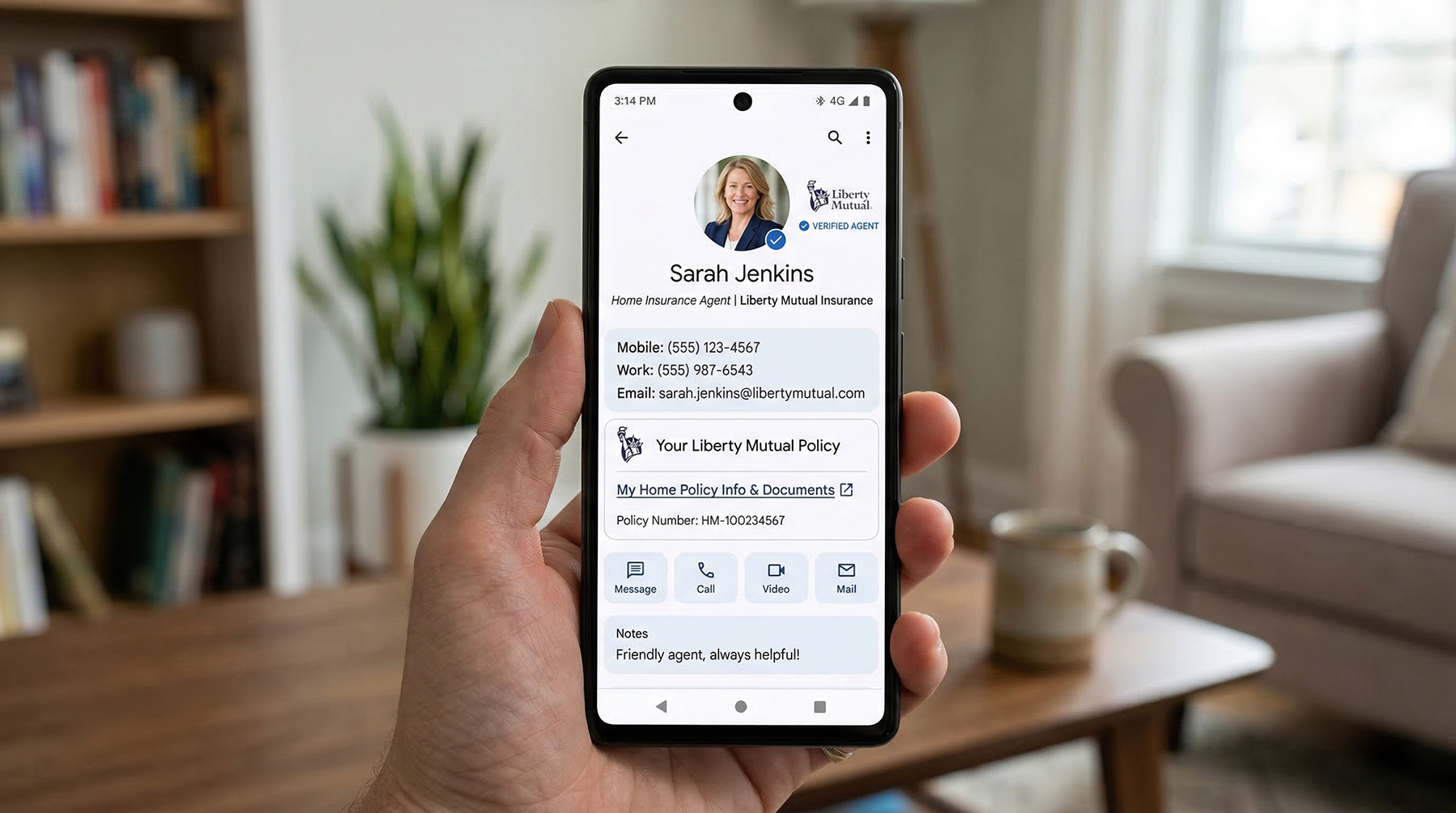
A digital business card for insurance agents is a mobile page that carries your producer credentials and lets clients save your contact instantly. Instead of handing out paper cards, you share a QR code or link. The prospect taps once and your name, phone number, email, and agency are saved directly to their phone — no app required on their end.

What separates an insurance card from a generic one is what's on it: your license number, the carriers you're appointed with, and the lines you actually write — whether you're captive with one carrier, an independent P&C broker, an L&H producer, or a Medicare agent working AEP. If you're not in their phone, you're not getting the call.
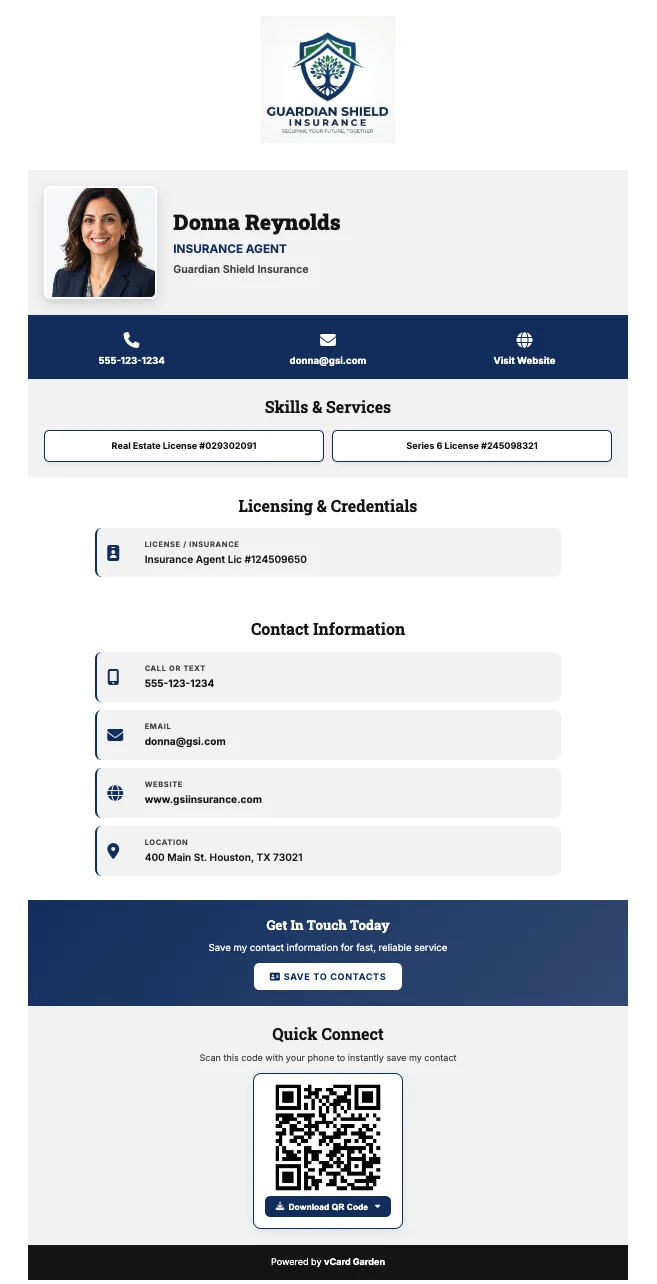
Digital business card for an insurance agent showing headshot, agency logo, license number, contact details, and a Save to Contacts button
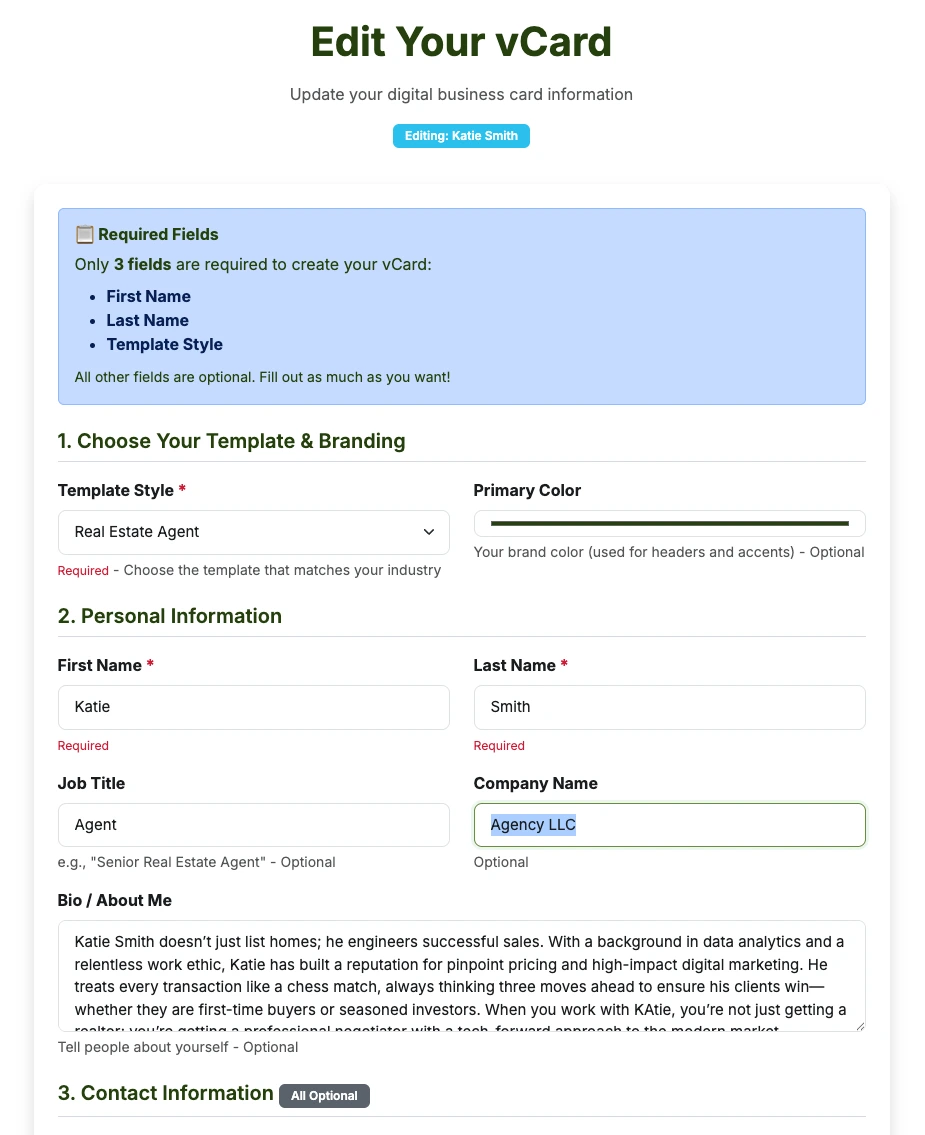
Editing an insurance agent's digital business card on vCard Garden — simple form with license, contact, and coverage fields Phone showing a saved contact after scanning an insurance agent's digital business card QR code

Setup

How Digital Business Cards Work for Insurance Agents

1. Create your page

Fill in your name, headshot, agency, license number, coverage lines, and contact details. Pick the template built for your industry.

2. Get your QR code and link

Your card gets a unique URL and QR code. Download it as PNG, SVG, or PDF — use it anywhere.

3. Share it

Put your QR code on paper cards, table tents, event banners, or your email signature. Or just text the link after an appointment.

4. They scan, they save

The prospect scans or taps your link. Your page opens in their browser. One tap saves your contact to their phone — no app on their end.

5. Update anytime

Add a carrier, renew a license, change agencies — log in, change the field, hit save. Every QR code you've already shared still works.

Try a Preview →

What belongs on an insurance agent's digital business card

Generic card builders give you a name, a number, and a logo. An insurance card needs more than that — and each of these is its own labelled field, not a line buried in a bio paragraph.

License & insurance
Your producer license number and E&O details in their own labelled field, visible on the page. When a license renews or you add a non-resident line, you edit the page — you don't reprint anything.
Coverage lines you write
Auto, home, life, health, Medicare Advantage and Supplement, commercial, umbrella, workers' comp, farm. List the ones you actually quote so nobody calls you about a risk you don't write.
Carrier appointments
Your services section lists the carriers you're appointed with. Independent agents use this to show breadth; captive agents use it to show the brand behind them.
Years in business
Tenure matters in this business. A prospect choosing between two quotes weighs experience, and it's a field rather than a claim buried in prose.
Service area
The states or counties you're licensed to write in, so out-of-area leads self-select out before they call.
Click-to-call and one-tap save
Your number is tappable, and the Save Contact button writes your details straight into their phone's contacts.

One card per line of business

This is the part most multi-line agents miss. If you write personal lines and commercial, a single card forces every prospect to read past the half that doesn't apply to them. The small-business owner scrolls through auto and renters to find out whether you handle general liability.

Every paid plan includes multiple pages — 5 on Starter, 25 on Pro, 50 on Business — each with its own URL and its own QR code. So you can run:

Personal lines card
Auto, home, renters, umbrella. The one you hand out at the school fundraiser and the Little League game.
Commercial card
GL, property, workers' comp, commercial auto. The one on your chamber badge and in your BNI folder.
Life & health or Medicare card
Separate carriers, separate language, separate audience — especially during AEP.

Agencies do the same thing across producers: one page per agent, each with their own license number and direct line, all under the same agency branding.

Paper cards don't work for how insurance agents actually network

You hand out more cards in a month than most professionals hand out in a year. Kitchen tables, community events, chamber meetings, referral partner offices, local business expos. And most of those cards end up in a drawer, a pocket, or a pile on someone's desk — forgotten before the week is over.

When a client needs you six months later — a fender bender at 10pm, a tree through the roof, a question about their deductible — they're not digging through a stack of cards. They're searching their phone. If you're not in their contacts, they're Googling "insurance agent near me" and calling whoever shows up first.

A digital business card fixes this.
One tap saves your name, photo, phone number, license, and agency directly to their phone. You're in their contacts permanently — not in a junk drawer temporarily.

Digital Business Cards vs Paper Cards for Insurance Agents

Most referrals are lost because your contact isn't saved. And in a licensed profession, an out-of-date card is a second problem. Here's how the two compare:

📄 Paper Business Card
❌ Gets lost, thrown away, or buried in a drawer
❌ Contact info never actually saved to their phone
❌ Shows an old license number or a carrier you dropped
❌ Outdated the moment you change agencies
❌ Can't be forwarded to a referral
❌ No way to know if anyone looked at it
📱 Digital Business Card
Saved directly to their phone contacts
✅ License, carriers, and lines shown up front
✅ Always current — update once, live everywhere
✅ Shareable — clients forward your info in two taps
✅ QR code works forever, even after info changes
✅ Analytics show who viewed your card and when

How Insurance Agents Use Digital Business Cards

Insurance agents don't sit behind a desk waiting for leads. You're at kitchen tables, networking events, community sponsorships, and referral partner meetings. Your QR code works in every one of those settings:

  • At networking events and expos — put your QR on a table tent or badge, not a stack of paper cards
  • After a quote appointment — text your link when you leave and they save your contact with one tap
  • With referral partners — give your QR to mortgage brokers, realtors, and car dealerships to keep at their desk
  • During AEP — Medicare agents share a card listing the plans and carriers they're certified for, updated the moment certifications change
  • In email signatures — every email you send becomes an opportunity for someone to save your contact
  • On printed materials — put your QR on the banner at the 5K, the Little League game, the school fundraiser

When someone searches "insurance agent near me," you want to be the contact they already saved — not one of ten options.
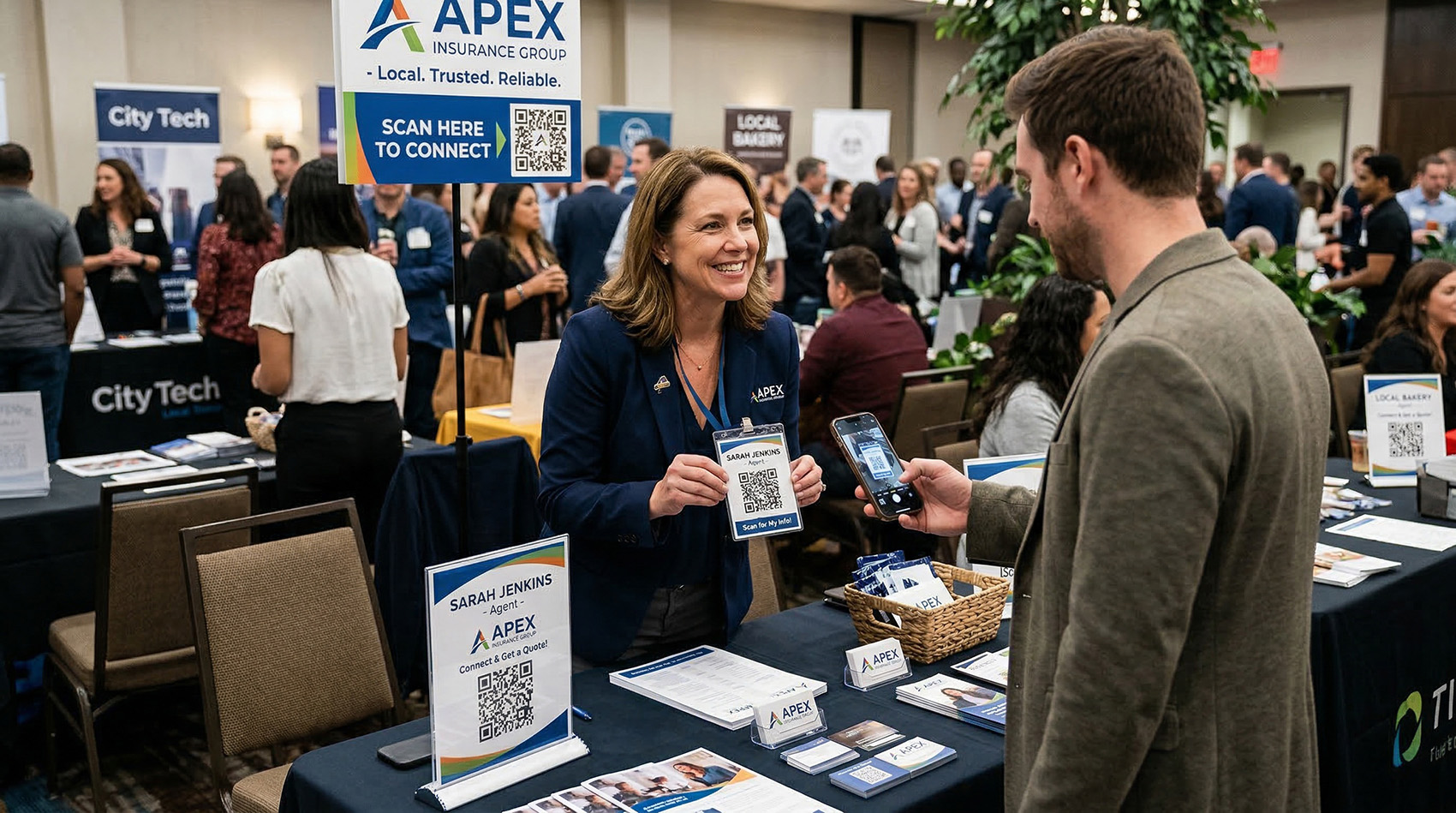
Insurance agent at a networking event showing a QR code while someone scans it with their phone

Who This Works Best For

Digital business cards work for any insurance professional, but they make the biggest difference for:

Independent P&C brokers
You carry a dozen appointments and no corporate marketing team. Your card is your brand — and the carrier list is your pitch.
Captive agents
Your carrier brand is the draw, but the relationship is yours. A card that carries both keeps you findable if you ever move.
Life & health producers
Long sales cycles. The prospect who isn't ready in March needs to still have you in their phone in September.
Medicare agents
Certifications and plan availability change every year. Update the page instead of reprinting before every AEP.
Agents who rely on referrals
When a client wants to refer you, your contact needs to be easy to forward — not stuck in a desk drawer.
Small agencies
One page per producer, each with their own license number and direct line, all under one agency's branding.
Insurance agent at desk with analytics dashboard showing page views, locations, and devices

Know which events are actually working

Every vCard Garden page includes analytics showing how many people viewed your page, where they came from, and what device they used. If you sponsor four community events a year, you'll know which one actually put you in people's phones — and which referral partners are sending people your way.

📍 Location
See which cities and areas your views come from
📱 Device
iPhone, Android, desktop — know your audience
🕐 Timing
See when people are viewing your card
📊 Export
Download your data to CSV anytime

When your appointments change, your card changes

Insurance agents move agencies. They add carrier appointments and lose them. They renew licenses, add non-resident licenses, get new direct lines, and change offices. In a licensed profession, every one of those used to mean a reprint — design time, print cost, and a box of cards that are now wrong.

Worse than the cost: the old cards are still out there. A prospect pulls one out of a drawer eighteen months later showing a carrier you no longer represent and a license number that's since renewed.

With vCard Garden you log in, make the change, and it's live in seconds. Every QR code you've ever printed — on business cards, banners, flyers, email signatures — still works and now shows your current information.

A note on compliance
vCard Garden isn't a compliance product and doesn't review what you publish. What it does is make outdated information easy to fix everywhere at once. Check your state department of insurance advertising rules and your carrier agreements for what your card is required to display, then keep the page current.
10 min
Average setup time
$0
Reprinting cost when info changes
Times you can update your page

The referral advantage

Insurance is a referral business. A happy client tells their neighbor, their coworker, their brother-in-law. But here's what usually happens: they say "I have a great agent, let me find their card" — and they can't find it. The referral dies right there.

When your contact is saved in their phone, the conversation goes differently. They pull up your name, tap Share, and text your info directly to the person who needs it. Your name, your photo, your number, the lines you write — forwarded in two seconds. That's a warm referral that actually connects.

Set up in about 10 minutes

No coding. No design work. Fill out a form and you're live.

Step 1
Start your free trial
Sign up at vcardgarden.com — no credit card required. Pick a template or start from scratch.
Step 2
Add your credentials and photo
Name, agency, license number, phone, email, website, coverage lines, carriers, service area, and a short bio. Upload your headshot and agency logo.
Step 3
Pick your colors
Match your agency or carrier brand, or keep it clean and simple. Your page looks professional either way.
Step 4
Publish and download your QR code
Your page goes live at vcardgarden.com/your-name. Download your QR code and start sharing it at appointments, events, and referral partner offices.

Pricing

Start free for 14 days. After that, plans start at $9/month — less than a single box of business cards that'll be outdated the next time an appointment changes.

Starter
$9/mo
  • Up to 5 pages
  • QR code + Save Contact
  • Headshot + logo upload
  • License, carriers, and services fields
  • Basic analytics
Pro Most Popular
$19/mo
  • Up to 25 pages
  • Everything in Starter
  • Export analytics to CSV
Business
$29/mo
  • Up to 50 pages
  • Everything in Pro

Frequently asked questions

What is a digital business card for insurance agents?
A mobile web page with your headshot, agency logo, license number, carrier appointments, coverage lines, and a one-tap Save Contact button. Clients scan your QR code or tap your link and save you to their phone instantly — no paper card, no app required on their end.
Can I display my license number on my digital business card?
Yes. There are dedicated fields for your producer license number and your licensing and insurance details, so they appear as their own labelled sections rather than being buried in a bio. Because you update the page instead of reprinting it, the number showing is always the current one.
I'm appointed with several carriers. Can I show that?
Yes. Your services and coverage-type fields list the carriers you're appointed with and the lines you write — auto, home, life, health, Medicare, commercial, umbrella. When you add or drop an appointment, you edit the page and every QR code you've already shared reflects it immediately.
Can I have separate cards for personal lines and commercial lines?
Yes, and most multi-line agents should. Every paid plan includes multiple pages — 5 on Starter, 25 on Pro, 50 on Business — each with its own URL and QR code. Run one card for personal lines and another for commercial so each prospect sees only what applies to them.
Do my clients need to download an app?
No. Your page opens in their browser. One tap saves your contact directly to their phone — iPhone or Android. Nothing to download, nothing to install.
What happens when I change agencies or update my number?
Log in, update your info, and your page reflects it immediately. Your QR code and shareable link don't change — everything you've already printed still works and now shows the updated information.
Does this help with advertising compliance?
vCard Garden isn't a compliance product and doesn't review your content. What it does is remove the most common problem: outdated printed cards still circulating with an old license number, a dropped carrier, or a prior agency. You update once and every previously shared QR code shows the current version. Check your state department of insurance advertising rules and your carrier agreements for what your card must display.
Can I use this as my main business card?
Yes. Many agents replace paper entirely. Others print their QR code on existing paper cards so clients get both — a physical leave-behind and a contact that's actually saved to their phone.
Is there a free trial?
Yes — 14 days free, up to 3 pages, no credit card required. You can have your card live and share it at a real event before you spend anything.

Related pages

Digital Business Cards for Insurance Agents and Financial Professionals

Explore templates built for insurance agents, financial advisors, and client-facing professionals who need to share contact info quickly and professionally.

Stop losing referrals to a lost business card

Set up your digital business card in 10 minutes. Your license, your carriers, your lines, and your direct number — in every client's phone.

Try It Free for 14 Days →
No credit card required · Cancel anytime