Canva business cards + vCard Garden
Add a vCard QR Code to Your Canva Business Card
Yes, you can add contact saving to your Canva design. Create a contact QR code, download the image, and upload it to Canva. For a code that stores fixed contact details, use our free vCard QR code generator. To give people a page with your photo, work and contact buttons, connect your card to vCard Garden.
Your card makes the introduction.
Your page gives them a reason to get in touch.
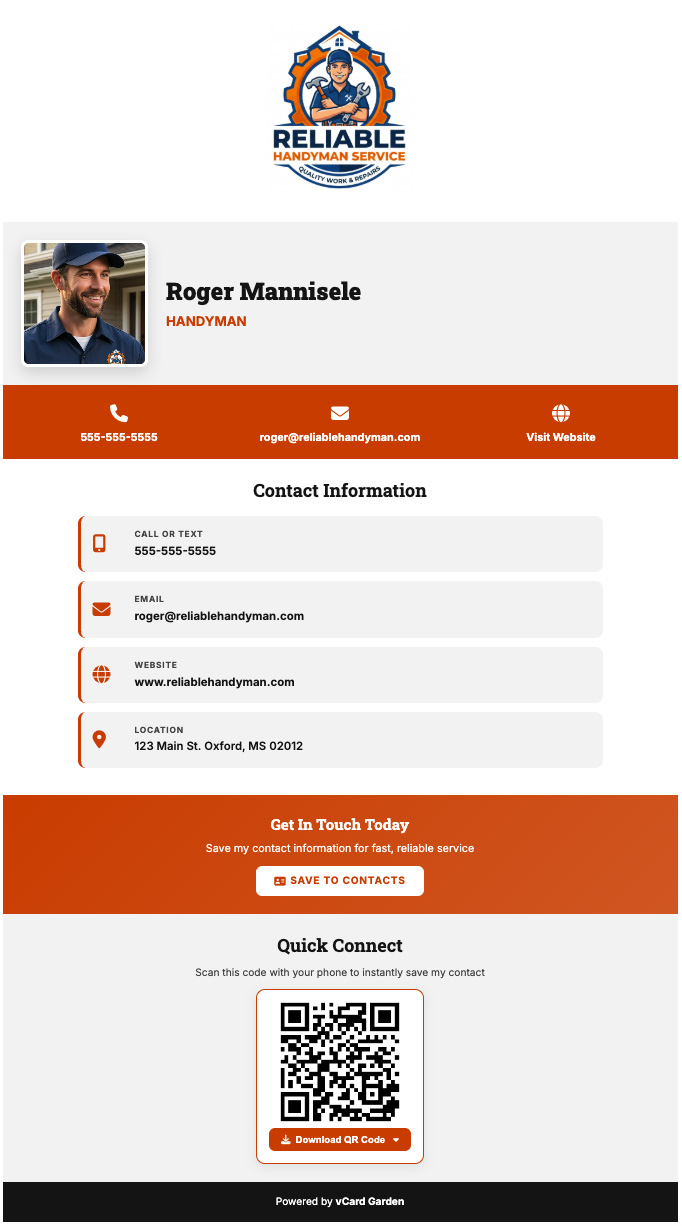
Give people somewhere to go after they scan your Canva business card: a professional page with your photo, what you do, your work, and the links they need to take the next step.
With vCard Garden, they can save your contact details, open your booking link, view your listings or portfolio, and find you again later. You can update the page whenever your business changes.
Build My Page — No Signup to Preview How it works with CanvaPreview without signup · 14-day trial when you create an account · Plans from $9/month
This is where your QR code can take them.
Give the next customer more to go on
Show them why they should choose you.
A name and number start the conversation. Your vCard Garden page can answer the questions that come next: What do you do? Can I see your work? How do I book or contact you?
Put a face and a business behind the card.
Add your photo, logo, bio and services so the person you just met can remember you and understand what you offer.
Give them a clear next step.
Add links to your booking page, listings, portfolio, reviews or website. Make it easy for someone interested to explore your work or get in touch.
Help them keep your details.
Your page includes a Save Contact button. Visitors download your contact file and confirm the save on their phone, without typing your details by hand.
Keep your printed cards current.
New phone number? Different company? New booking link? Edit your page and keep the same printed QR code pointing to it while your page stays active.
You also get a shareable page link for your email signature, social profiles and messages, plus page-view tracking to see whether people are visiting.
See My Business as a Digital CardKeep the Canva design. Add the part customers can use.
You do not have to redesign your business card. Canva handles the design; vCard Garden gives the QR code a destination built around your business and contact details.
| What you want to do | Canva card image | Card linked to vCard Garden |
|---|---|---|
| Introduce yourself | Show the details in your design. | Show your photo, bio, business details and contact buttons on your page. |
| Show more of your business | Use the space in your layout. | Add links to your work, listings, reviews, booking page and social profiles. |
| Save your contact details | Add a contact QR code or link to a contact file. | A Save Contact button is included on your page. |
| Update information after printing | The information printed on the card stays the same. | Edit the page behind your QR code without changing the printed code. |
| See whether people visit | Requires a destination or service with tracking. | Page-view tracking is included. |
From your design to your digital page
How to add your vCard Garden QR code to Canva
Build your page.
Enter your details and preview your page. Add your photo and useful links. Create your account to keep it with a 14-day trial.
Download its QR code.
Use the QR image that opens your page. Keep the original downloaded image so it stays clear in your design.
Upload it to Canva.
Open your business card design and use Uploads to add the QR image. Place it with a label such as “Scan to view my work & save my contact.”
Scan it before printing.
Test a sample at its intended printed size. Check your page, contact details and links. Try both iPhone and Android if your customers use both.
For a clear scan: keep the code's clear margin, use strong contrast, and avoid stretching, cropping or covering it. Your hosted page needs internet access and an active plan after the trial.
Build My Page for My Canva CardJust need a free vCard QR code for Canva?
Our free generator stores your contact details directly in a static QR code. Enter your name and phone number or email, download the PNG, and upload it to your Canva design. A compatible phone can read the details and offer to save the contact.
This works well for fixed contact details. If those details change, generate a new code. Choose a vCard Garden page when you want an editable destination with your photo, business information, links and page-view tracking.
Use the Free Static QR GeneratorNo signup · PNG and SVG downloads
Questions about Canva cards and vCard Garden
Can I keep the card I already designed in Canva?
Yes. Add your vCard Garden page QR code to your existing design. You can keep your layout, branding and printed contact information.
Does Canva already have a QR code generator?
Yes. Canva provides QR code tools. vCard Garden gives you the page behind the code: your business information, photo, links, contact download and page-view tracking.
Can I preview my page before signing up?
Yes. Enter your information and see your page without creating an account. The temporary preview expires in 48 hours. Create an account to keep your page and start the 14-day trial.
What does it cost to keep my page?
Hosted pages have a 14-day free trial, with plans from $9/month afterward. See the plans and page limits. The static vCard QR code generator is free.
Can I change my details after printing my cards?
Yes, when your code links to your vCard Garden page. Update the page and the same code opens the updated information while your page remains active. Details embedded in a static QR code cannot be changed.
Will scanning automatically save my contact?
Your page gives visitors a Save Contact button. They download your contact file and confirm the save on their device. Phone and contact-app behavior can vary.
Can I share my card without a QR code?
Yes. Share your page link in a message, email signature or social profile. A clickable link is useful when someone is already viewing your card on their phone.
Give your next customer a place to find you.
Your photo. Your business. Your work. Your contact details.
One page they can open from your Canva card and return to later.
14-day trial when you create an account · Plans from $9/month