Convert VCF to CSV or Excel
Free browser-based converter that opens .vcf contact files as a spreadsheet you can sort, filter, and edit.
Contact files are clumsy. Make yours a link and a QR code →
Drop a .vcf file exported from your phone, iCloud, Google Contacts, or Outlook and get a proper
spreadsheet back. Every phone number and email address keeps its own column, old
QUOTED-PRINTABLE exports decode correctly, and there's no contact limit — the whole conversion
runs on your own device with nothing uploaded.
Drag your .vcf file here
One file or several — read on your device, never uploaded
—
Every contact, every selected column — free with no row limit
You're pulling contacts out of a file. How does anyone get yours in?
Nobody types a phone number off a business card any more. Give people a link and a QR code instead — they scan, tap once, and you're saved with your photo attached.
No signup to preview · 14-day trial · From $9/mo
Your file is downloading
Here's how to open it cleanly.
- Double-click the downloaded file — .xlsx opens straight into Excel with columns already separated.
- If you took the CSV instead and phone numbers lose a leading zero, don't open it directly. Use Data → From Text/CSV and set the phone column to Text during import.
- Go to sheets.google.com and choose File → Import.
- Upload the file and pick Replace spreadsheet.
- Turn off Convert text to numbers and dates so phone numbers stay intact.
- Double-click the file — Numbers opens both .xlsx and .csv directly.
- Numbers is less aggressive about reformatting phone numbers than Excel, so the plain file usually lands fine.
- Edited the list and want it back on a phone? Run the finished sheet through the Excel to VCF converter.
- It maps your columns back to vCard fields and gives you a single .vcf to import.
How do your clients save your number?
You just untangled a contact file so a list of people would land somewhere useful. The people you meet get a worse version of that — squinting at a card and typing your number by hand. Most of them don't bother.
A vCard Garden page is one link and one QR code. They scan it, tap Save Contact, and you're in their phone with your photo. Nothing to install on their end, and you can change your number later without reprinting a thing.
Build yours free — no signup to preview →Takes about two minutes. No credit card.
Troubleshooting & common questions
The problems people actually hit when opening a contact file as a spreadsheet.
tel:+15125550148. Apple's grouped item1.TEL syntax is handled too.
How to convert a VCF file to Excel
A .vcf file is plain text. Each contact is a block that starts with BEGIN:VCARD and ends with
END:VCARD, and a file holding five hundred contacts is simply five hundred of those blocks
stacked one after another. Converting to a spreadsheet means reading each block and deciding which line
belongs in which column.
The awkward part is that the same piece of information can be written several ways. A mobile number might
be TEL;TYPE=CELL, TEL;TYPE=cell,voice, or item2.TEL;type=pref
depending on what exported it. That's why the file is scanned in full before a single column is created —
the columns come from what your file actually contains, not from a fixed template.
Where .vcf files come from
iPhone and iCloud
iCloud.com → Contacts → select all → the sidebar menu → Export vCard. You get one .vcf holding every contact on the account.
Android and Google Contacts
contacts.google.com → Export → choose vCard. On the phone itself, the Contacts app has a share or export option that writes a .vcf to storage.
Outlook
Outlook exports one vCard per contact rather than a combined file, so you often end up with a folder of them. Drag the whole selection in at once and they merge into a single sheet.
Old phone backups
Backups from older handsets are usually vCard 2.1 with quoted-printable text. Those are the files that come out garbled elsewhere, and the ones this tool was built to read properly.
What a vCard looks like inside
Open a .vcf in a text editor and each contact reads like this:
BEGIN:VCARD
VERSION:3.0
N:Mitchell;Sarah;;;
FN:Sarah Mitchell
ORG:Acme Roofing
TITLE:Regional Manager
TEL;TYPE=CELL:(512) 555-0148
TEL;TYPE=WORK:(512) 555-0100
EMAIL;TYPE=INTERNET:[email protected]
END:VCARD
That contact becomes one row, with FN under Full Name, the two TEL lines under
Mobile and Work Phone, and ORG under Company.
Your contact list never leaves this tab
An exported address book is usually the most sensitive file a small business owns. Worth knowing where it goes.
Read in the browser
Your .vcf is parsed by JavaScript on your own device. There's no upload step, because there's nothing to upload to.
Nothing stored
No copy is kept, no account is created, no email is collected. Close the tab and it's gone from memory.
Works offline
Once this page has loaded you can disconnect from the internet and it still converts. That's the simplest proof nothing is being sent anywhere.
Then make it easy on the other side
Getting contacts out of a file is the half of the problem you control. The other half is what happens when someone wants your details — and that's the half you're currently losing.
A vCard Garden page gives you a link and a printable QR code. Put it on a truck, a yard sign, an invoice, or your phone screen. People scan it, tap Save Contact, and you're in their phone with your photo attached.
Change your number later and every code you've already printed still works.
Try it free →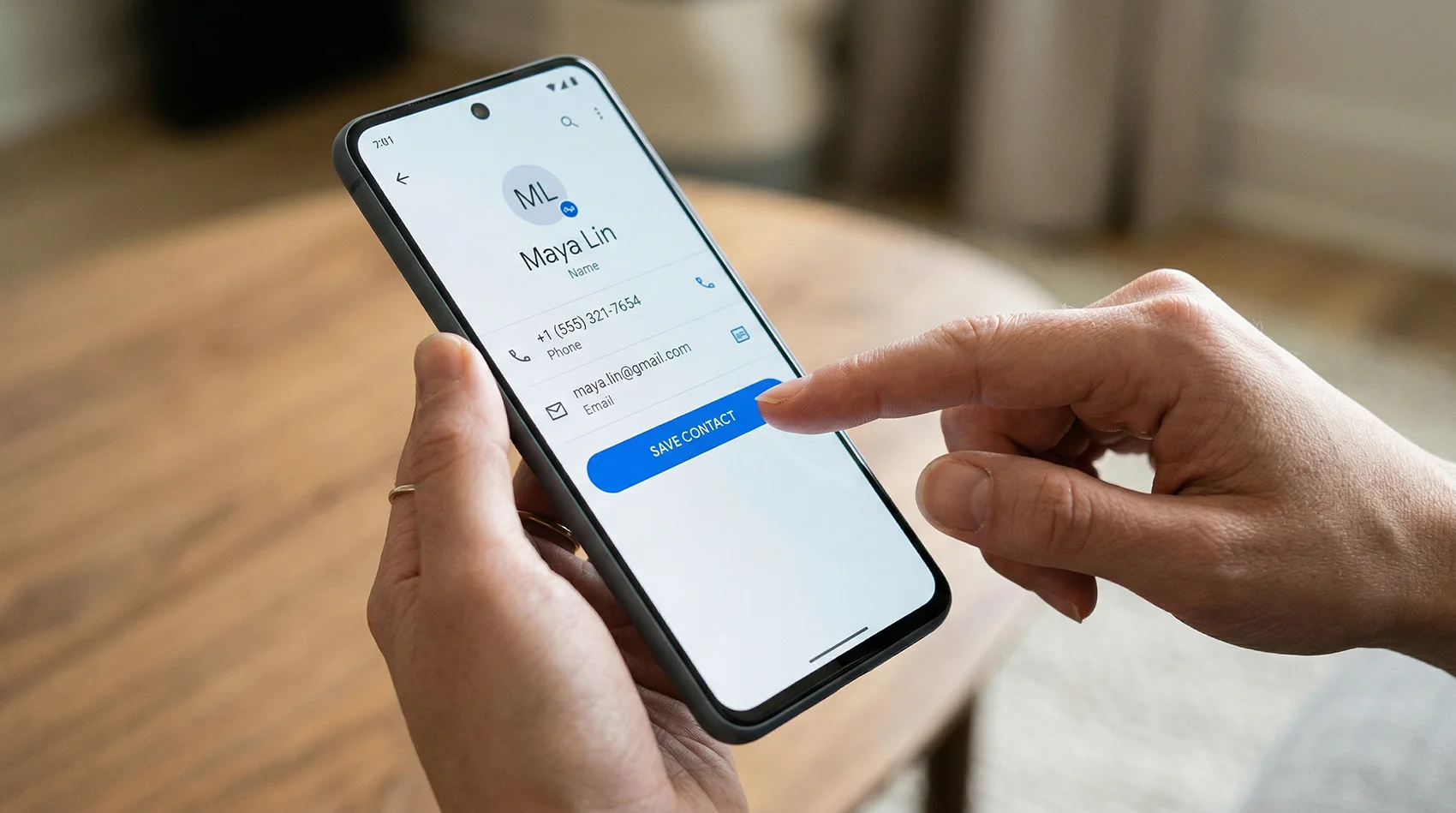
One tap saves your name, photo, number, and address.
How this compares to the other VCF converters
Most options are either a Windows program you install or a site that wants your address book on their server. Here's the honest comparison.
| Typical desktop converter | Typical online converter | This tool | |
|---|---|---|---|
| Free limit | Often 10–25 contacts, then paid | Varies | No limit |
| Install required | Yes — usually Windows only | No | No |
| Your contacts | Stay on your machine | Uploaded to their server | Never leave your browser |
| Quoted-printable files | Usually handled | Often garbled | Decoded |
| Multiple phones per contact | Usually kept | Often collapsed to one | One column each |
| Merge several .vcf files | Sometimes | Rarely | Yes |
| Excel and CSV output | Usually both | Often CSV only | Both |
| Mac, iPad, phone | Usually not | Yes | Yes |
Based on the free tiers publicly advertised by the widely-listed VCF-to-Excel tools as of August 2026. Check any specific product's site for current terms.
Stop being the hardest contact to save
Your own contact page with a QR code, a one-tap save button, and details you can change any time — without reprinting a thing.