vCard Garden Β· Contact Sharing

Share Your Contact Info with a QR Code β€” No Website Needed

Want a QR code people can scan to save your contact instantly? Create a simple page with your contact info, generate a QR code, and let anyone save your details in one tap. No app. No website builder. No tech skills.
Create Your Contact Page
No credit card required Β· 14 days free Β· Cancel anytime
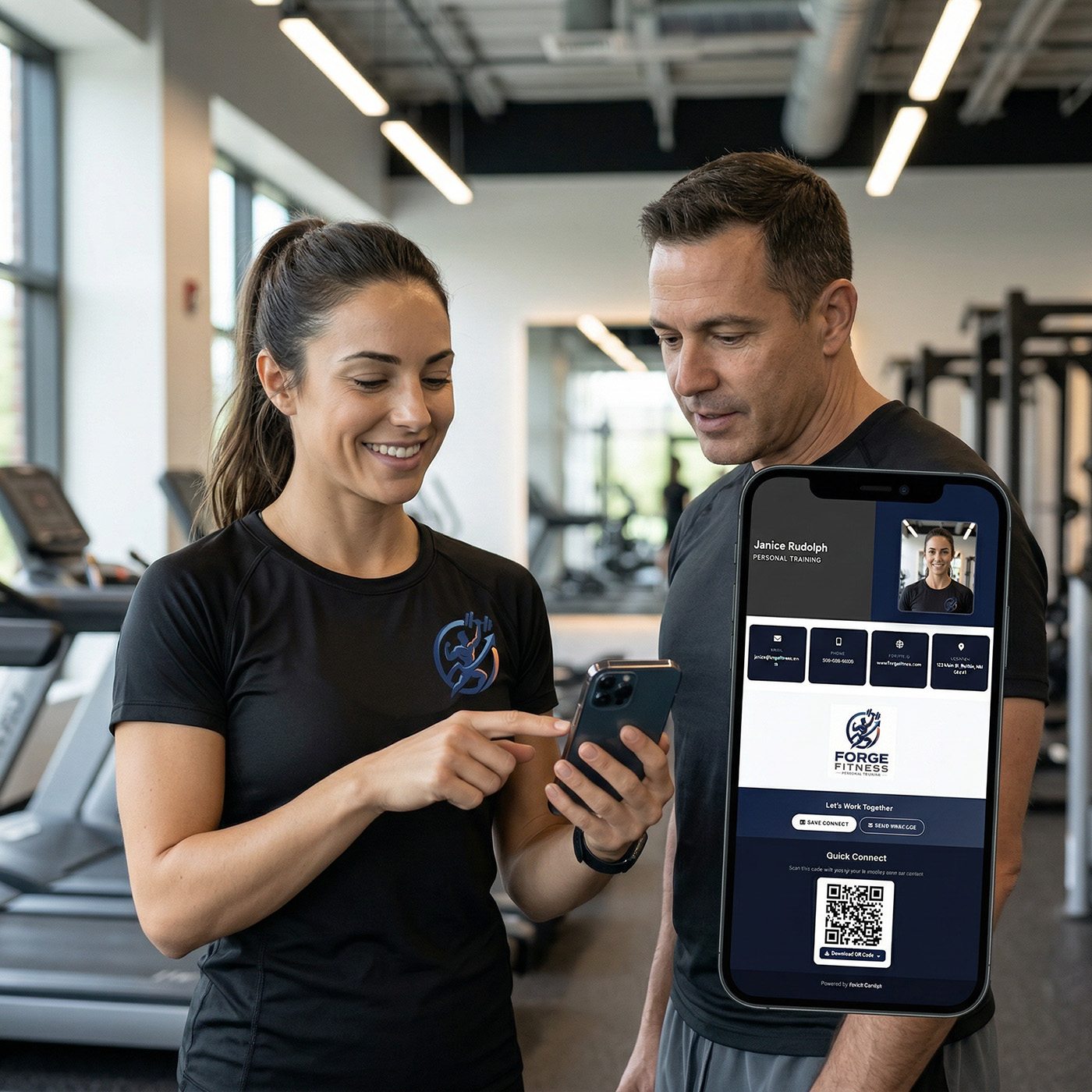
Person sharing contact info by showing a QR code on their phone for someone to scan

What Does a QR Code Contact Page Do?

Instead of building a full website, you create a single clean page with your name and photo, phone number and email, business details, and social links. Then you get a QR code.

When someone scans it:
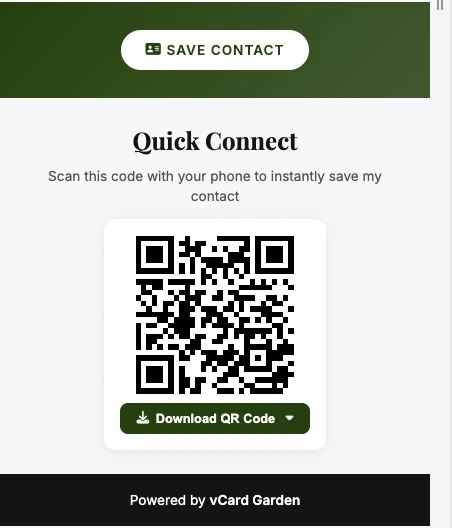
Your page opens instantly in their browser β†’ they tap once β†’ your contact is saved to their phone. No typing. No mistakes. No friction. Works on iPhone and Android with no app required on their end.

It's a simple page designed for one thing: saving your contact instantly.

How to Share Your Contact Info in 2 Minutes

No coding. No design tools. No learning curve. Fill out a form and you're done.

Step 1
Enter your contact details
Name, photo, phone, email, business name, and any social links. Takes about two minutes to fill out.
Step 2
Your page is created instantly
Your contact page goes live at vcardgarden.com/your-name the moment you save. No waiting, no approval, no setup.
Step 3
Download your QR code
Get your QR code in PNG, SVG, or print-ready PDF. Ready to put anywhere β€” business cards, signs, your phone lock screen, email signature.
Step 4
Share it everywhere
Anyone scans it, your page opens, they tap Save Contact. That's it. You're in their phone permanently.

What People See When They Scan Your QR Code

A clean, professional page with your photo, contact details, and a one-tap Save Contact button. Opens in their browser β€” no app required.

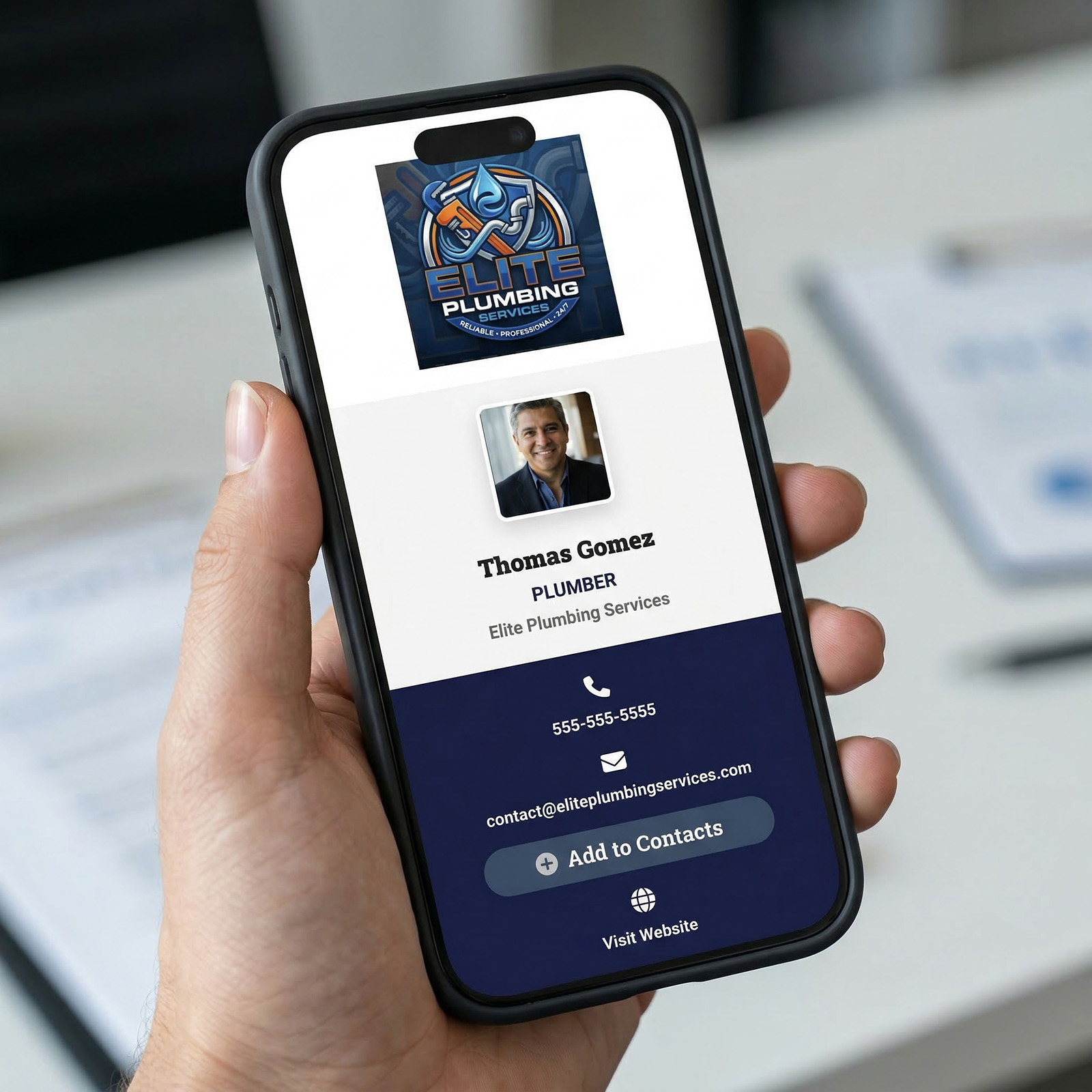
vCard Garden contact page open on a phone showing name, photo, contact details and Save Contact button
πŸ‘† One-tap Save to Contacts
Your name, number, email, company, and photo save directly to their iPhone or Android in one tap. No typing. No spelling out your email. No asking them to text you first.
πŸ“ž Click-to-call phone number
One tap dials you directly. Someone scans your QR code and calls you without ever typing your number.
πŸ“± Works on every phone
iPhone, Android, any browser. No app download required on their end β€” ever. Your page just opens.
πŸ–ΌοΈ Your photo and branding
Your headshot and logo appear on your page. When they save your contact, your photo saves with it β€” so they know exactly who you are when you call.
πŸ”— Shareable link too
Your page also has a direct link. Text it, email it, put it in your Instagram bio, or add it to your email signature. Same one-tap save experience, no QR code needed.
πŸ“Š See who's scanning
Built-in analytics show how many people scanned your QR code, viewed your page, and what device they used. Know where your leads are coming from.

Where People Use QR Contact Pages

Anywhere you'd normally hand someone your contact info β€” except this time they actually keep it.
Professional sharing contact info via QR code in a real-world setting

One scan and your contact is saved permanently β€” no follow-up needed.

🏠 Open houses
Post your QR code at the door. Every buyer who walks in scans and saves your contact instantly β€” contact pages for open houses mean you leave with every visitor's attention and your info already in their phone.
🀝 Networking events
Show your QR code on your phone screen. The other person scans it while you're still talking and your contact saves before you've walked away. No cards to carry, nothing to lose.
πŸ“‹ Business cards
Print your QR code on your business card. Even if they lose the card, they've already saved your contact. The physical card becomes optional.
🚐 Van wraps and yard signs
Contractors, painters, and landscapers put their QR code on their van or job site sign. A neighbor scans it from the street and saves the contact without ever talking to you. That's a warm lead with zero effort β€” contact pages for contractors work exactly this way.
βœ‰οΈ Email signatures
Add your QR code or link to your email signature. Every person you email has a one-tap way to save your contact β€” no asking them to add you to their address book manually.
πŸ“„ Flyers and door hangers
Include your QR code on any printed material. People scan at their own pace β€” when they're ready to call, your contact is already saved and waiting.

Why QR Codes Work Better Than Paper Cards

QR codes remove friction: Scan β†’ open β†’ tap Save Contact. No typing. No lost cards. Your contact is in their phone permanently, with your photo attached so they know who you are when you call three months later.

A digital business card with a QR code makes that happen in under ten seconds.

Update Your Info Anytime β€” QR Code Still Works

This is the part paper cards can never do. If your phone number changes, your old cards are instantly wrong. Every person who saved that number has dead info. You have to reprint, redistribute, and hope people update their contacts.

With vCard Garden, you log in and update your page. Your QR code stays exactly the same. Every person who's ever scanned it β€” from a van wrap you printed a year ago, a yard sign from last summer, a business card from three jobs back β€” they all get your updated info automatically the next time they look you up.

2 min
Average setup time
$0
Cost to update your info or reprint your QR code
1 tap
To save your contact on any phone

Why Not Just Use a Website Builder?

Website builders are designed for full websites β€” multiple pages, navigation menus, hosting setup, template customization, domain management. If all you need is a way to share your contact info, that's months of work for a problem that takes two minutes to solve here.

There's no template to design. No pages to manage. No hosting to configure. No learning curve. You fill out a form with your contact details and you get a live page with a QR code for your contact info β€” ready to share in minutes, not weeks.

If you ever need more β€” project photos, service lists, team pages β€” vCard Garden supports all of that too. But you don't have to build any of it to get started. Your contact page is useful on day one.

Common Questions

How do I share my contact info with a QR code?
Create your contact page on vCard Garden, download your QR code, and put it anywhere β€” printed cards, signs, your phone screen, or email signature. Anyone who scans it lands on your page and saves your contact in one tap.
Do people need an app to scan my QR code?
No. Any iPhone or Android camera app can scan a QR code. Your page opens instantly in their browser β€” no app download, no account, no setup required on their end.
What if my phone number or email changes?
Log in and update your page. Your QR code stays the same. No reprinting, no dead links, no confusion. Everyone who's ever scanned it gets your updated info automatically.
Can I use it for a business or just personal?
Both. Solo professionals, tradespeople, realtors, freelancers, and small business owners all use vCard Garden. If you share your contact info regularly, this saves you time every single day.
Is there a free trial?
Yes β€” 14 days free, up to 3 pages, no credit card required. Your contact page and QR code are live before you spend a dollar.
Can I see how many people are scanning my QR code?
Yes. Built-in analytics show scan counts, page views, and device types so you know exactly where your leads are coming from.

Create your contact page and QR code in minutes

Start sharing your contact info the easy way. One scan, one tap, saved permanently β€” free for 14 days.

Create Your Contact Page β†’
No credit card required Β· Cancel anytime