vCard Garden · For Realtors

Open House Sign-In Without Paper — Just Scan and Save

Stop using paper sign-in sheets that no one fills out correctly. Put a QR code at your open house. Visitors scan it, your contact page opens, and they save your details in one tap. No app. No typing. No fake names or unreadable handwriting. Many agents are now replacing paper sign-in sheets with an open house QR code sign-in that visitors can scan instead of writing anything down.
Create Your Open House QR Code
No credit card required · 14 days free · Cancel anytime
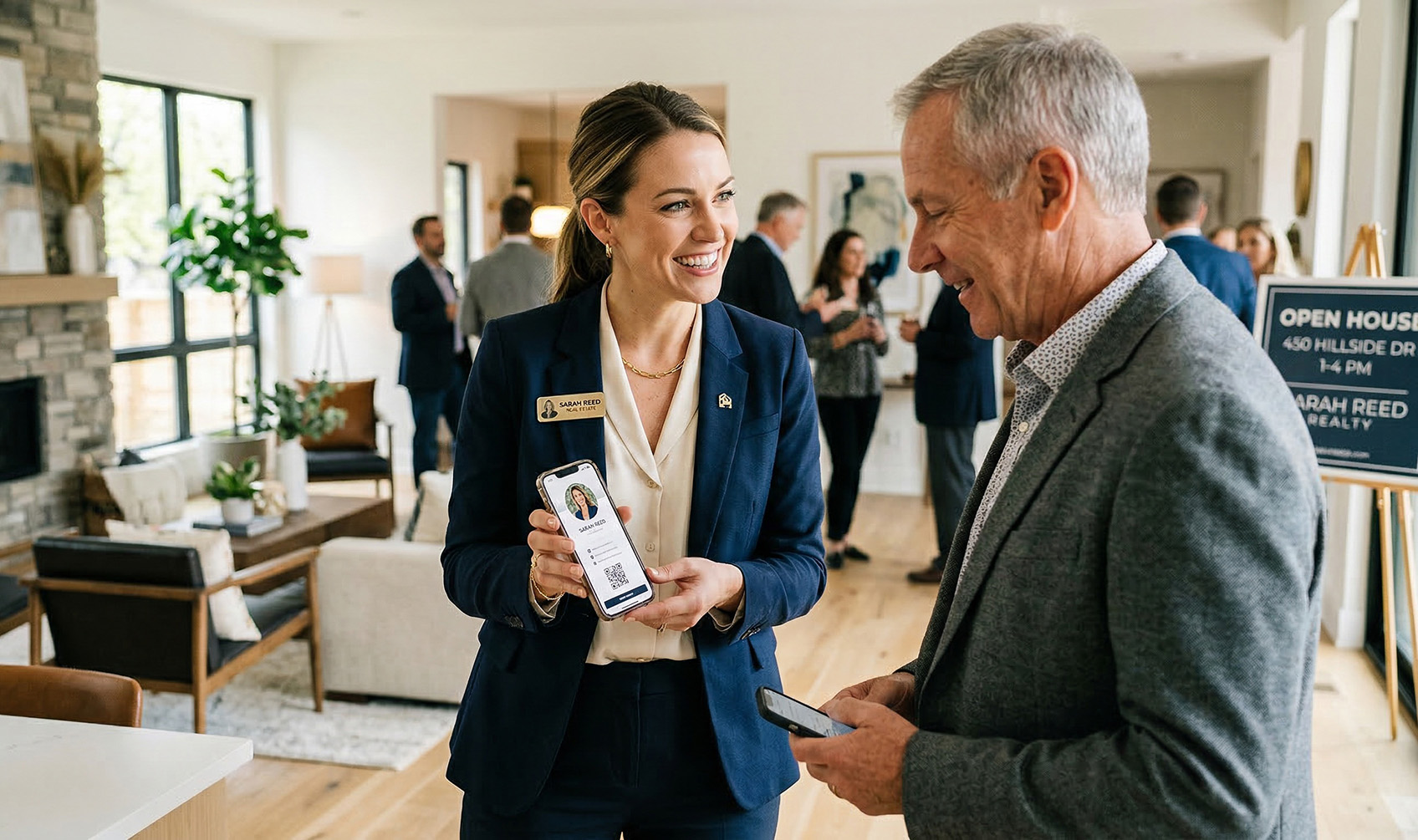
Realtor showing a QR code to an open house visitor on their phone

Why Paper Open House Sign-In Fails

Paper sign-in sheets look simple, but they break in real situations. People skip them entirely. When they do fill one out, the handwriting is unreadable or the phone number is missing a digit. Visitors don't want to stand at the door filling out a form — they want to walk in and look around.

By the end of the day you have:
A sheet of low-quality data, no photos attached to any name, and no real connection with the people who walked through. Most of those leads never make it into your phone in a useful form — and the ones who were genuinely interested have already forgotten your name.

A Simpler Way to Capture Contact Info at Open Houses

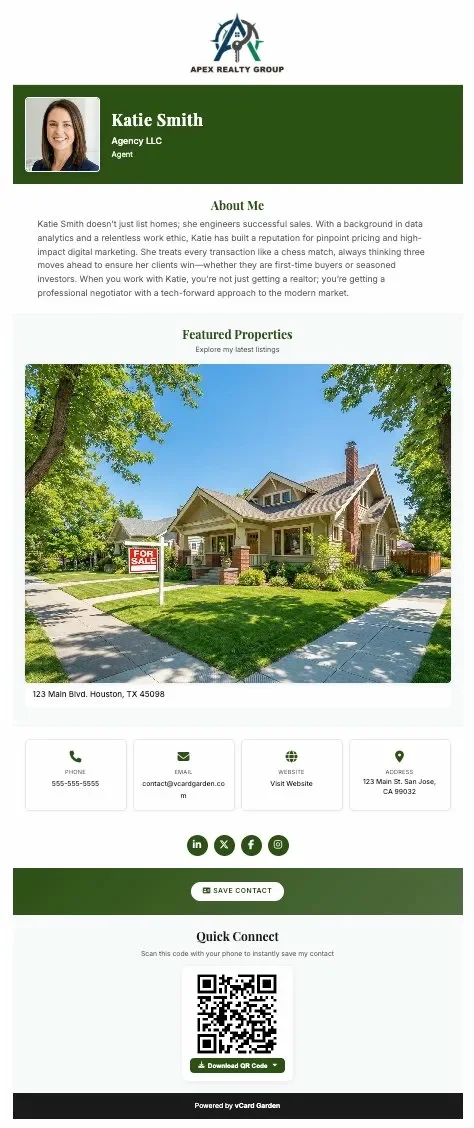
Instead of asking visitors to write their info down, let them scan a QR code. They scan → your contact page opens → they tap Save Contact. Now your name, phone number, and photo are already in their phone. No friction. No delay. No lost leads.

Realtor digital business card open on a phone showing contact info and Save Contact button
👆 They save your contact — not the other way around
With a paper sheet you're collecting their info. With a QR code they're saving yours. That's the shift that matters — when they're ready to make an offer or call their agent, you're already in their phone with your name, photo, and number attached.
📞 One tap to call you directly
Your phone number is click-to-call on your contact page. A buyer who scanned your QR code at 2pm on Saturday can call you at 9am Sunday without searching for your card, typing your number, or trying to remember your last name.
🏡 Add listing details to your page
Put the address, price, and key features in your page description. Buyers who scan at the door see the listing info alongside your contact — they're already connecting your face and name to the property before they've walked through the kitchen.
📱 No app required on their end
Any iPhone or Android camera scans a QR code. Your page opens in their browser. One tap saves your contact. Nothing to download, no account to create, no friction between them and your number.
🖼️ Your photo saves with your contact
When a buyer saves your contact, your headshot saves with it. Three weeks later when they're ready to make an offer, they see your face in their phone — not just a name they half-remember from a busy Saturday afternoon.
📊 See who engaged
Built-in analytics show how many people scanned your QR code and viewed your page. You know which open houses are generating real interest — not just foot traffic.

How to Set It Up in 2 Minutes

No tech skills needed. No design tools. Fill out a form and you're done.
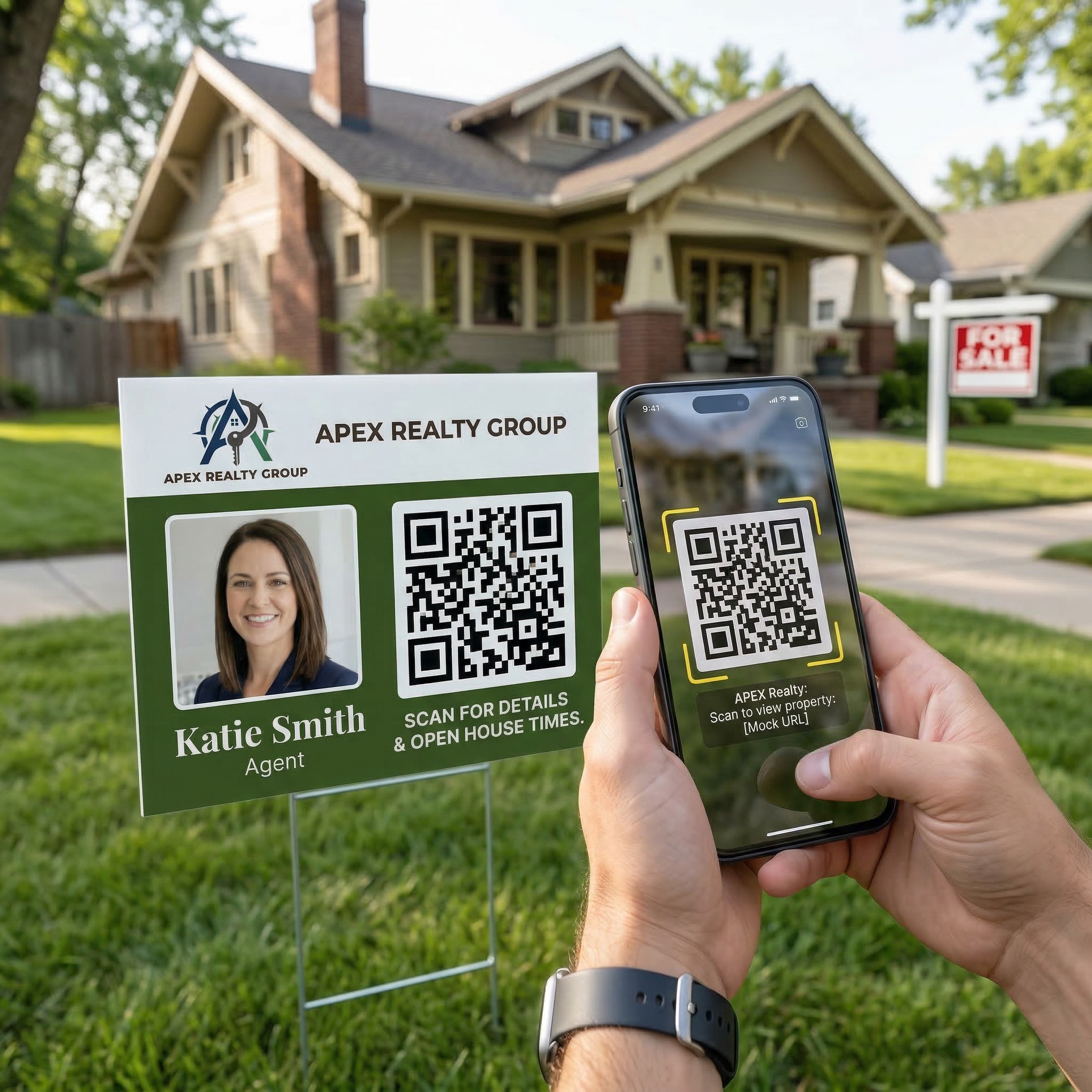
QR code on a yard sign at an open house for visitors to scan and save contact

Place your QR code anywhere visitors naturally pause — front door, counter, yard sign.

Step 1
Create your contact page
Add your name, photo, phone, email, brokerage, and listing details. Your digital business card for realtors is your open house identity — what buyers see when they scan.
Step 2
Download your QR code
Get your QR code in PNG, SVG, or print-ready PDF. Print it at any office supply store or take it to a sign printer. Add "Scan to Save My Contact" and you're done.
Step 3
Place it at the open house
Front door, kitchen counter, sign-in table, yard sign. Anywhere visitors naturally pause is a good place to scan. You can also pull it up on your phone screen and show it directly.
Step 4
Visitors scan and save instantly
They scan with their camera, your page opens, they tap Save Contact. Your info is in their phone before they've finished walking through the living room. That's a save contact QR code working exactly as it should.

Why QR Code Sign-In Works Better

People don't want to fill out forms at an open house. They want to walk through, look around, and leave. A QR code fits that behavior — scan, done. You still get your contact into their phone, which matters more than collecting a messy list of names you may never reach again.

The real goal isn't capturing their info — it's getting into their phone.
A paper sign-in sheet gives you data you have to act on. A QR code puts you in their phone so they can act when they're ready. Buyers move on their own timeline — being already saved in their contacts means you're there when the moment comes, without a follow-up call they didn't ask for.

That's why choosing to share contact info with a QR code at an open house converts better than any form or paper card — it removes every step between a visitor's interest and your number being saved.

Update Your Info Anytime — Same QR Code

If your phone number or brokerage changes, log in and update your page. Your QR code stays exactly the same. No reprinting signs. No outdated info on yard signs you placed three listings ago. No lost connections because a buyer scanned an old code that now points nowhere.

2 min
Setup time
1 tap
For visitors to save your contact
$0
Cost to update info or reprint QR code

Where to Put Your QR Code at an Open House

Anywhere people naturally pause is a good place to scan. The goal is visibility without pressure — they see it, they scan if they want to, and your contact is saved without any interaction required.

🚪 Front door or entry table
First thing they see. Catches visitors before they start walking through.
🍳 Kitchen counter
Buyers always linger in the kitchen. A QR code on the counter gets scanned while they're already standing still.
📋 Printed listing sheets and flyers
Add your QR code to every printed handout. Buyers take the flyer home and scan it later when they're ready to talk.
🏡 Yard signs
Neighbors and drive-by traffic scan from the street. Your contact is saved before they've even walked in.
📱 Your phone screen
Pull up your QR code while talking to a visitor. They scan directly from your screen — faster than handing over a card.
🪧 Sign-in table
Replace the paper sheet entirely or put the QR code right next to it. Most visitors will choose the scan over the pen.

Common Questions

Do visitors need an app to scan the QR code?
No. Any iPhone or Android camera app scans it instantly. Your page opens in their browser — nothing to download, no account required on their end.
Do I collect their contact info?
No forms required. Instead, your contact is saved directly in their phone. When they're ready to make an offer or ask a question, you're already there — no cold call, no chasing a name from a sheet.
Can I use the same QR code for every listing?
Yes. Use the same QR code and update your page details for each listing. Your QR code never changes — just reprint the same code with updated listing info on your signage.
What if I still want a paper sign-in sheet?
Use both. Put the QR code next to the sign-in sheet. Most visitors will choose the scan — but you're covered either way.
Is there a free trial?
Yes — 14 days free, up to 3 pages, no credit card required. Your contact page and QR code are live before you spend a dollar.

Create your open house QR code in minutes

Stop chasing bad leads from paper sign-in sheets. Get your contact saved in every visitor's phone — free for 14 days.

Create Your Open House Sign-In QR Code →
No credit card required · Cancel anytime