How to Share Your Contact Info with a QR Code
July 11, 2026 • Updated 3 months ago
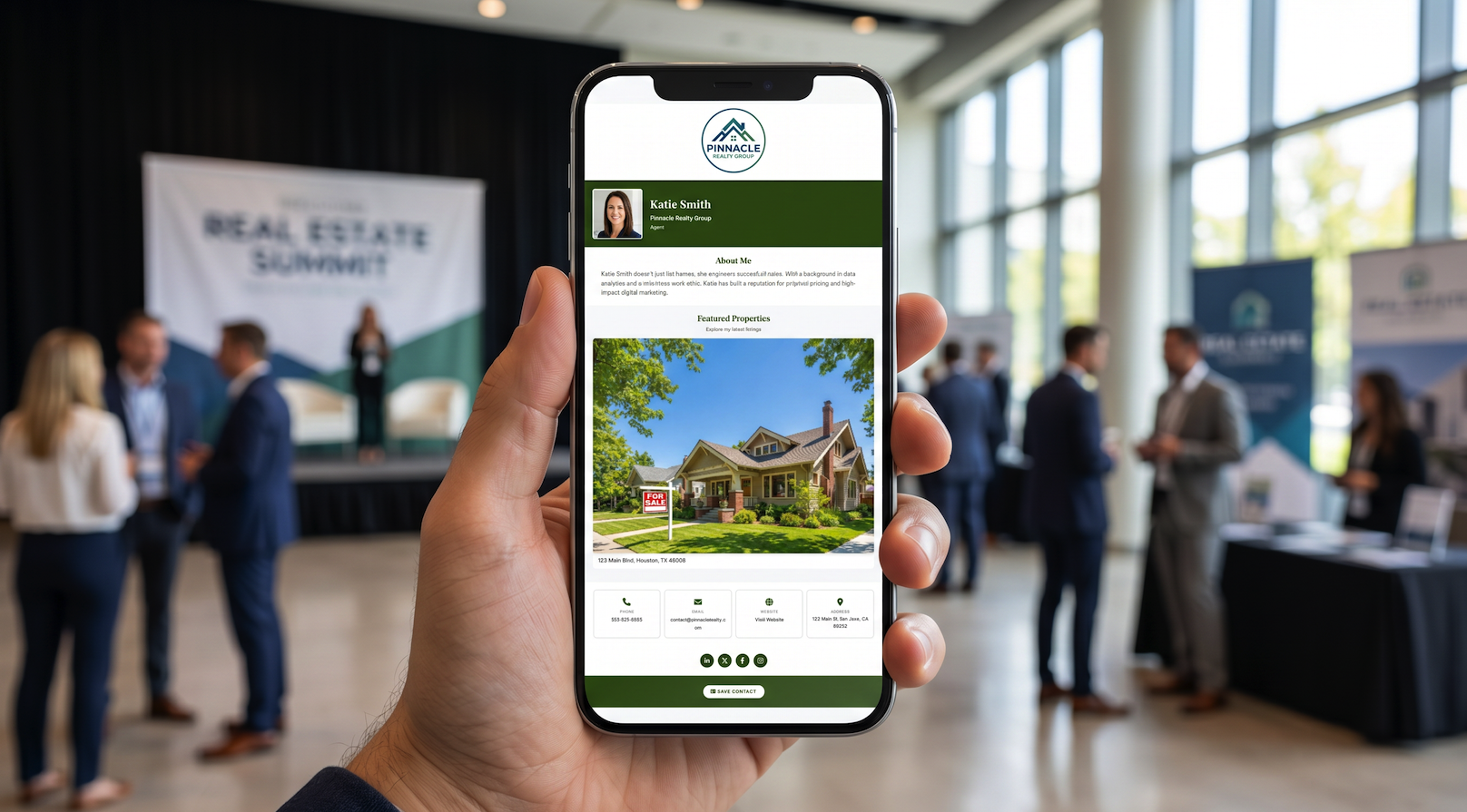
Want to share your contact information instantly without fumbling for physical business cards or meticulously spelling out your email address? A contact sharing QR code does it in seconds.
Someone simply scans the code using their default phone camera app, and your entire professional profile is ready to save. Best of all, there is no app download required on their end. Here's exactly how to set it up for your brand.
How a Contact Sharing QR Code Works
A contact-sharing QR code routes users directly to your custom digital business card web page—a mobile-optimized landing page containing your name, phone number, email, social links, and any other corporate details you want to share.
When a prospect or client scans your code:
- Their smartphone camera instantly detects the link and opens your digital card page.
- They tap a prominent "Save Contact" button to download your optimized vCard file.
- Your complete details save directly to their phone native address book contacts list.
No tedious typing. No spelling mistakes. No lost or discarded paper cards.
Creating Your Contact QR Code
The most efficient way to generate your code is to build it through an integrated digital business card platform like vCard Garden:
- Sign up and create a free trial account.
- Enter your contact details, profile photo, and professional links.
- Your dynamic QR code is automatically generated by the platform.
- Download your new asset in high-resolution PNG, SVG, or print-ready PDF formats.
Because the QR code links directly to your hosted card page, if you ever change your phone number or job title, the same QR code will instantly show the new details. There is absolutely no need to reprint your materials.
Best Places to Display Your QR Code
To maximize your networking reach, embed your code across multiple digital and physical touchpoints:
Professional Email Signatures
Add a small, clean QR code block to your company email signature. Desktop email recipients can easily scan it straight from their monitor screen using their smartphone.
Smartphone Lock Screens
Set your custom QR code as your phone wallpaper background. This gives you instant, frictionless access to share your card at fast-paced events and conventions.
Printed Materials and Signage
Add the scan code to your traditional paper cards, marketing brochures, event name badges, or large-format trade show booth displays.
LinkedIn Profile Banners
Integrate the code directly into your LinkedIn cover photo design so organic profile visitors can grab your contact details quickly.
Keynote Presentations
Feature your QR code prominently on the final slide of your presentations, allowing the audience to scan and connect before they leave the room.
Resumes and Job Applications
Incorporate a small code onto your print or digital resume so hiring managers and corporate recruiters can save your contact file with one simple scan.
Tips for Better Scan Reliability
Modern QR codes are incredibly stable, but keeping these structural best practices in mind will ensure perfect scans every time:
- Size Matters: For printed media, make sure the code is at least 1 inch (2.5 cm) square. Smaller codes struggle to resolve from distances.
- Contrast Is Key: A dark code on a clean, light background always scans best. Avoid placing your QR grids directly over busy background graphics or dark images.
- Test Before Printing: Always scan your own code using both iOS and Android devices under various lighting conditions before ordering bulk print copies.
The Permanent Link Advantage
The true power of a dynamic QR code lies in its architecture: your code points to a permanent web URL that stays exactly the same forever. If you change your phone number, switch companies, or move offices, you simply update your card online—the physical QR code remains valid. Everyone who ever scans it will always see your most current details.
With old-school paper cards, a tiny change forced you to throw out stock and re-order prints. With an elite digital business card platform, you just save your edits and move on.
Get Started with Contact Sharing
Ready to streamline your networking pipelines? Create your free digital business card and download your custom contact QR code in under 5 minutes.