vCard 3.0 vs 4.0: Apple Contacts Test
August 30, 2026 • Updated 1 month, 2 weeks ago
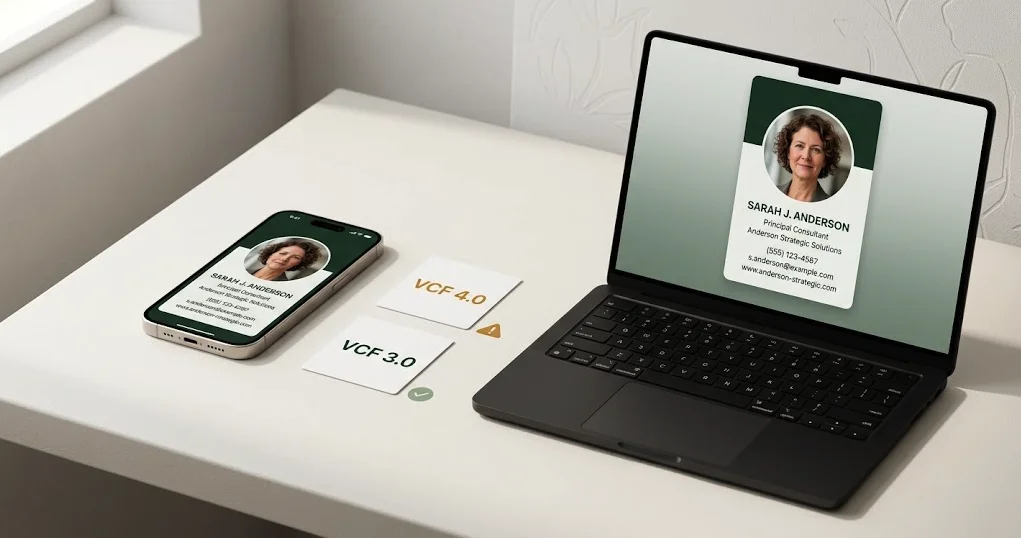
vCard 4.0 is the newer specification, so it seems reasonable to assume it is the best version to use. Our Apple Contacts test produced the opposite result.
We created one VCF file containing two otherwise matching contacts—one written as vCard 3.0 and one as vCard 4.0—then compared what Apple Contacts actually imported. Both contacts opened, but the 3.0 version preserved important field labels more cleanly.
Test result
Use vCard 3.0 when reliable Apple contact imports matter. In our test, vCard 4.0 imported the data but mishandled several labels and exposed the phone-number URI formatting.
What We Tested
The test file contained two contacts with the same types of information:
- First and last name
- Nickname
- Company and department
- Job title and role
- Mobile and work phone numbers
- Work and personal email addresses
- Website
- Postal address
- Birthday
- LinkedIn profile
- Notes
We handled the file on an iPhone 16 running iOS 26.6.1 and compared the imported records in Apple Contacts on Mac. The single VCF correctly created two separate contacts, allowing a direct side-by-side comparison.
This was a focused Apple compatibility test, not a claim about every contacts app. Google Contacts, Outlook, Samsung Contacts, CRMs, and older operating systems may interpret the same properties differently.
The Side-by-Side Results
| Field | vCard 3.0 | vCard 4.0 |
|---|---|---|
| Phone labels | “mobile” and “work” displayed correctly | Both labels displayed as “VALUE” |
| Phone values | Normal formatted phone numbers | The tel: URI appeared in the contact |
| Email labels | “work” and “home” preserved | Both changed to the generic “email” label |
| Website label | “work” preserved | Changed to “homepage” |
| LinkedIn profile | Recognized as LinkedIn | Displayed as a generic HTTPS field |
| Name, company and title | Imported | Imported |
| Address, birthday and notes | Imported | Imported |
The difference was not that vCard 4.0 completely failed. Most of its information arrived. The problem was presentation and usability: Apple Contacts exposed technical formatting and discarded useful labels that told the recipient whether a phone number or email address was personal or work-related.
Why Did vCard 4.0 Import Differently?
vCard 4.0 changed how several properties can be represented. For example, its official specification permits a telephone value to be written as a URI:
TEL;TYPE=cell;VALUE=uri:tel:+1-202-555-0142
That format follows the vCard 4.0 specification. In our Apple Contacts import, however, VALUE became the visible phone label and tel: remained visible in the number. The app retained the information but did not present it as intended.
The matching vCard 3.0 property was simpler:
TEL;TYPE=CELL:+1-202-555-0142
Apple Contacts displayed that version as a normal phone number with the correct “mobile” label.
Apple’s own support documentation says Contacts on Mac exports contact information as vCard 3.0 by default. Apple also offers vCard 2.1 as a fallback when another application cannot accept 3.0. That does not make vCard 4.0 invalid; it does support the practical case for using 3.0 when Apple compatibility is the priority.
Does an Embedded Photo Work?
Yes—in our vCard 3.0 test, it worked extremely well.
We generated a separate VCF with a photo embedded directly inside the file. After import, Apple Contacts used the image as the contact’s full-size Contact Photo & Poster. The company, job title, phone number, email address, and website appeared with it.
This distinction matters because vCards can reference an image URL or carry the image data inside the file. A receiving app may decline to fetch a remote image. Embedding the photo allows it to travel with the VCF instead.
You can reproduce this test with the vCard Generator with Photo. It creates a vCard 3.0 file with the uploaded image embedded in the contact.
Which vCard Version Should You Use?
Use vCard 3.0 when:
- You are sharing individual professional contacts.
- iPhone and Apple Contacts compatibility matters.
- You need recognizable mobile, work, and home labels.
- You want to embed a contact photo.
- You are distributing the same file to people using different devices and apps.
Consider vCard 4.0 when:
- You control the importing software and have tested its 4.0 support.
- You need a property or data model specific to the newer specification.
- Your workflow explicitly requires RFC 6350 output.
For a public contact file that may be opened by an unknown mix of customers, clients, and coworkers, predictable imports matter more than using the newest version number. Based on this Apple test, we recommend vCard 3.0 as the safer default.
How to Check Your Own VCF Before Sharing It
- Create the VCF using the same fields and photo you plan to distribute.
- Import it into Apple Contacts or Google Contacts.
- Check every phone and email label—not merely whether the values appeared.
- Confirm the website opens correctly.
- If a photo is included, verify that it becomes the saved contact image.
- Delete the test contact, revise the file if needed, and import it again.
A successful download is not the same thing as a successful contact import. The imported record is the product your recipient actually experiences.
What This Test Does—and Does Not—Prove
It proves that these particular standards-compliant vCard 3.0 and 4.0 records produced meaningfully different results in the Apple environment we tested. It also confirms that an embedded vCard 3.0 photo can become an Apple Contact Photo & Poster.
It does not prove that every possible vCard 4.0 file will behave identically, or that every Android device and Outlook version will favor the same format. Contacts apps change, manufacturers customize Android, and optional fields receive uneven support. This is why we have published the fields, environment, and visible results instead of simply declaring one version universally superior.
Frequently Asked Questions
Is vCard 4.0 newer than vCard 3.0?
Yes. vCard 4.0 is the newer published specification. Newer does not guarantee that every receiving application will interpret every property more cleanly.
Does Apple support vCard files?
Yes. Apple documents vCard importing on iPhone, Mac, and iCloud. Apple Contacts on Mac exports vCard 3.0 by default.
Why did the vCard 4.0 phone number show “VALUE”?
The vCard 4.0 record declared the phone value as a URI using VALUE=uri. In our import, Apple Contacts displayed that parameter as the label instead of using the intended mobile or work type.
Can vCard 3.0 include a photo?
Yes. Our embedded-photo file imported successfully and became the Apple contact photo and poster.
Is vCard the same as VCF?
vCard is the contact-data format; .vcf is its filename extension. For a broader explanation, see What Is a vCard?
Can I create a test VCF without installing software?
Yes. Use the free VCF File Generator, download the contact, and import it into the contacts app you need to support.
Create a vCard 3.0 file and test it yourself
Generate a standard VCF or create one with an embedded contact photo. Both tools are free and require no signup.