Digital Business Card with Your Photo
Upload your headshot, add your info, and get a professional page you can share with anyone. No app required — people scan your QR code or tap your link and see your face, your info, and a one-tap button to save your contact.
Try It Free — No SignupYour Photo Front and Center
When someone visits your vCard Garden page, the first thing they see is your face. Not a logo, not a wall of text — you. That's what makes people remember who you are and actually save your contact info.
Every vCard Garden page is a complete digital business card. Your headshot, your company logo, your about section, your contact details, your social links — all on one clean page that works on any phone, tablet, or computer.
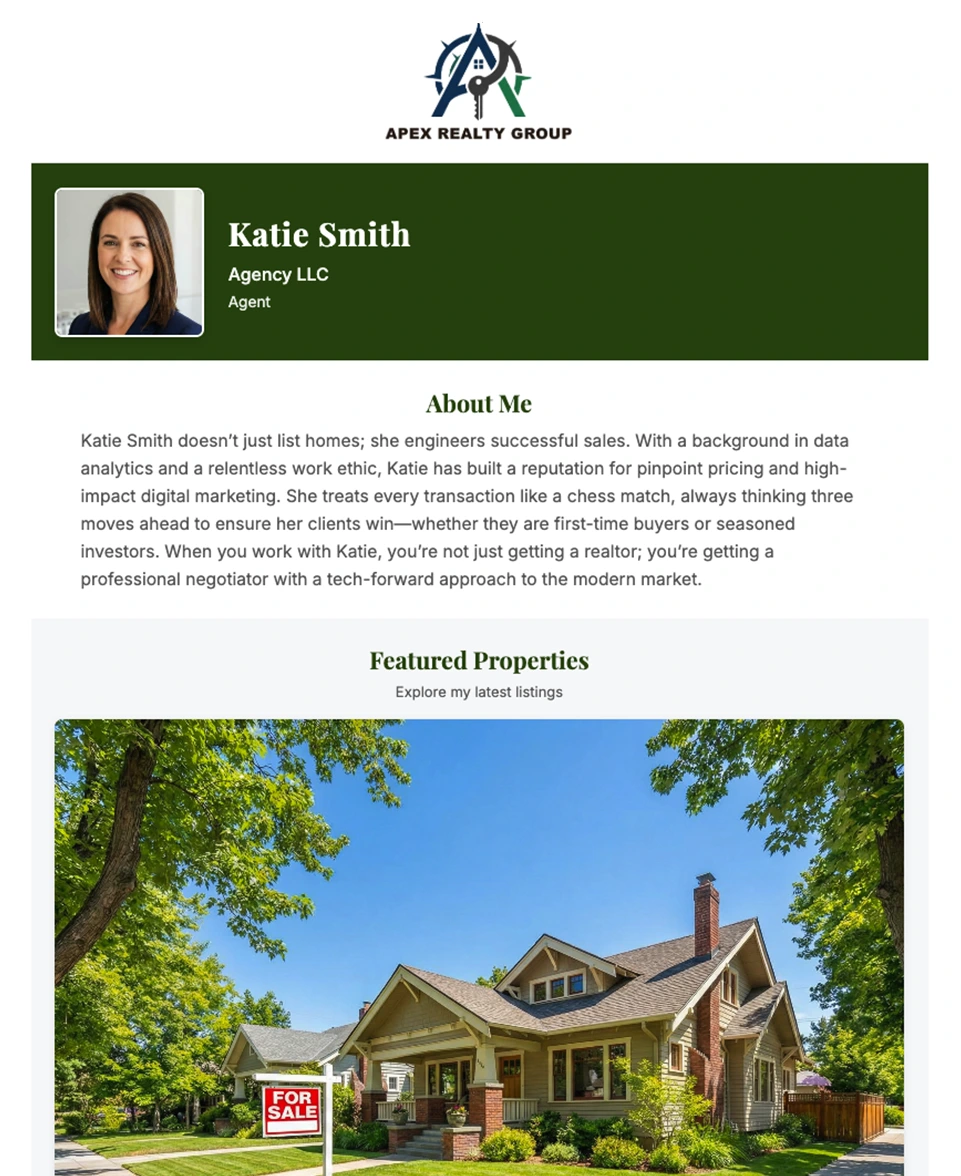
A vCard Garden page with photo, company logo, bio, and property listings
No App Required. No Download. No Signup.
Unlike Blinq, HiHello, and other digital card apps, the person viewing your card doesn't install anything. They scan your QR code, see your page in their browser, and tap to save your contact. That's it.
Adding Your Photo Takes 10 Seconds
There's no complicated photo editor. You upload your headshot, we handle the rest — resizing, optimizing, making sure it looks sharp on every device.
You can use both a personal photo and a company logo. This is especially useful for real estate agents (your face + brokerage logo), sales reps (you + company brand), or franchise owners. People connect with faces, but they trust brands — so give them both.
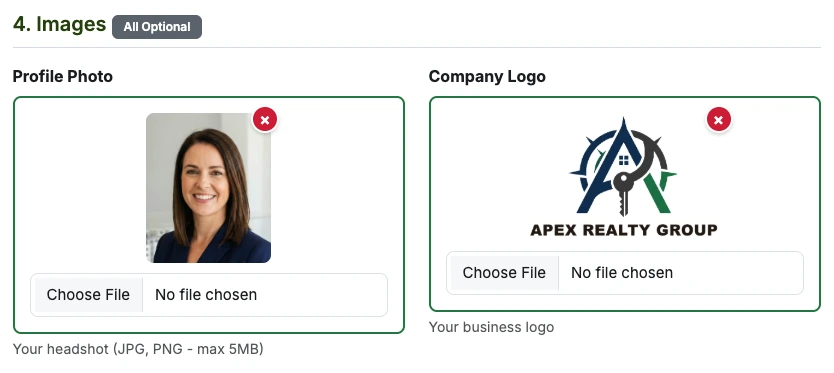
Upload your headshot and company logo — both optional, both easy
Built-In QR Code and Contact Download
Every vCard Garden page automatically includes two things most digital business card apps charge extra for:
📱 QR Code
Print it on business cards, yard signs, truck wraps, flyers — anywhere. People scan it and land on your page with your photo and all your info. When your details change, the QR code still works because it points to your page, not a static file.
👆 One-Tap Contact Save
Visitors tap "Save Contact" and your name, phone, email, and address go straight into their phone. No typing, no mistakes. Works on iPhone and Android — no app download needed on their end.
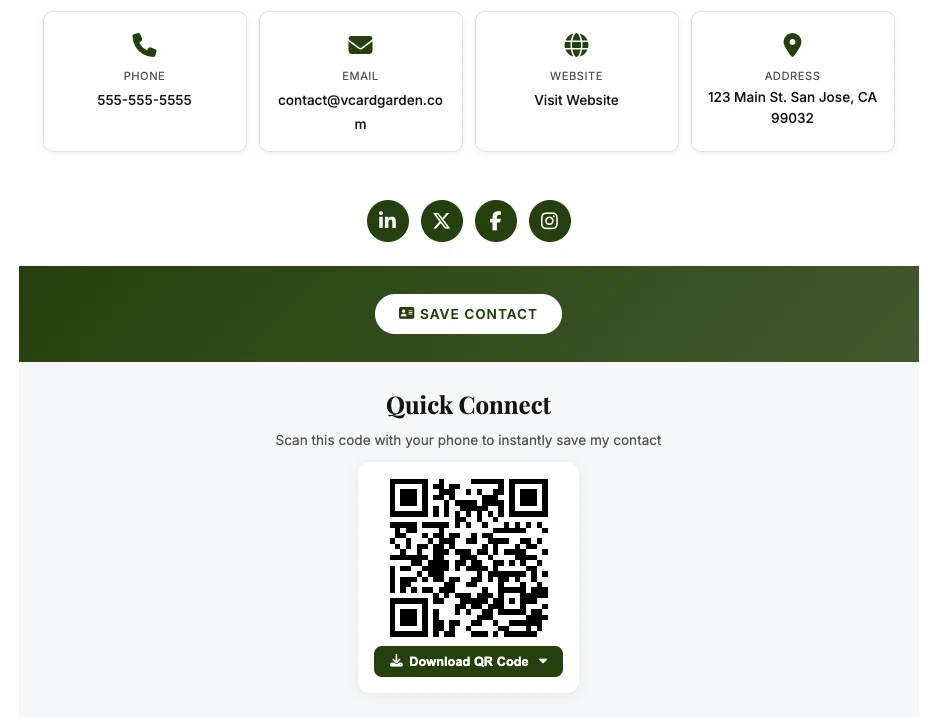
Save Contact button, social links, and downloadable QR code — built into every page
Your Page Is Your Digital Business Card
Think of your vCard Garden page as a living, breathing business card. It's not just a file you send — it's a page on the web with your face on it that anyone can visit anytime.
Including your photo transforms a simple contact record into a real introduction. When someone sees your face alongside your name and title, they're not saving a stranger's phone number — they're saving a person they've met. That's the difference between a contact that sits in their phone forever and one they actually call back.
And because it's a web page (not a static file), you can update your photo, phone number, job title, or anything else whenever you want. Everyone who visits your link or scans your QR code after that sees the new info — even if you printed that QR code on 500 business cards six months ago.
Want Your Photo in the Actual Contact File?
When someone taps "Save Contact" on your vCard Garden page, your name, phone, email, and details save to their phone — but the photo stays on your web page, not in the downloaded contact file itself.
For most people, that's fine — your page is where they see your face and make the connection. But if you specifically need your headshot embedded inside the .vcf file (so your face shows up in their phone's caller ID and contact list), you need a dynamic QR code because photos make the file too large for a standard static QR code.
Our other tool, QR Code Better, lets you create dynamic VCF QR codes with embedded photos. The QR code stays small and scannable while the contact file includes your full headshot.
Take a Great Headshot Yourself (No Photographer Needed)
You don't need to hire a photographer to look professional. Here's how to get a solid headshot with your phone:
Setup
- Lighting: Face a large window with natural light. Overcast days are perfect — no harsh shadows on your face.
- Background: Plain wall in white, gray, or light blue. No clutter.
- Camera height: Eye level or slightly above — never below (nobody looks good from below).
- Distance: Have someone stand 4-6 feet away, then crop the photo to head and shoulders.
- Mode: Use Portrait mode if your phone has it — it blurs the background and makes you pop.
Getting the Shot
- Timer: Use a 3-second timer so you're not reaching for the phone mid-shot.
- Prop it up: Use a tripod, or lean your phone against a stack of books.
- Take a lot: Shoot 20-30 photos. You only need one good one.
- Check yourself: Nothing in your teeth, hair in place, collar straight.
- Relax: Drop your shoulders, stand tall, take a breath before the shot.
Photo Mistakes to Avoid
❌ Skip These
- Cropped group photos where someone else's arm is still showing
- Vacation selfies with sunglasses
- A photo from 10 years and 2 haircuts ago
- Bathroom mirror selfies (yes, people still do this)
- Blurry, dark, or heavily filtered photos
- Photos where you're not looking at the camera
✓ Use These Instead
- A recent photo — taken in the last year or two
- Head and shoulders, looking at the camera
- Good lighting on your face (window light is free)
- Clean, simple background
- A natural smile — not forced, not stone-faced
- High resolution — at least 400x400 pixels
What to Wear in Your Photo (By Industry)
Your headshot should match what your clients expect to see when they meet you. Here's what works:
Ready to Add Your Photo?
Try it right now — no signup needed. Build your page, see it live, decide later.
Try It Free → Start 14-Day Trial