Pet Sitting Business Card Ideas (That Actually Get Saved)
April 14, 2026 • Updated 5 months, 3 weeks ago
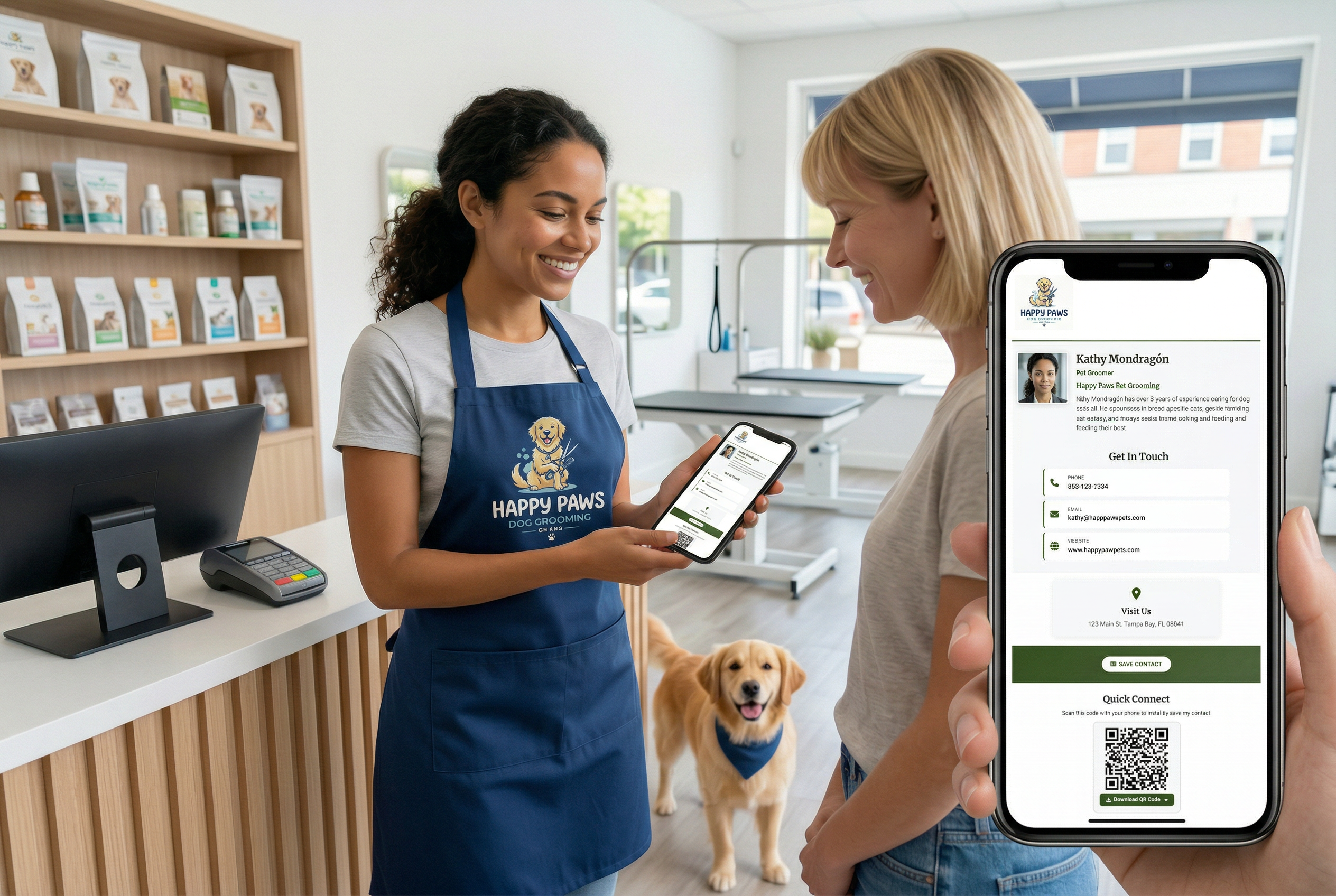
If you're a pet sitter, you've probably thought about what to put on your business card. Maybe you've Googled "pet sitting business card ideas" looking for templates, designs, or examples. That's a smart move — your business card is often the first thing a pet owner sees after meeting you, and it needs to do more than just look nice. It needs to get you called back.
Here's what actually works on a pet sitting business card, what most pet sitters get wrong, and a better approach that makes sure your contact info doesn't end up in a junk drawer.
What to Put on a Pet Sitting Business Card
A good pet sitting business card doesn't need to be complicated. It needs to be clear. Here's what should be on it:
Your name and business name. If you operate under a business name like "Paws & Play Pet Care," lead with that. If you're a solo sitter using your own name, that's fine too — just make it obvious that you're a pet sitter, not a real estate agent or insurance broker.
Your phone number and email. This sounds obvious, but some pet sitters bury their phone number under a logo or put it in tiny font. Your phone number is the most important thing on the card. Make it big, make it easy to read, and make sure it's a number you actually answer.
A list of your services. Don't assume pet owners know what you offer. Spell it out: overnight stays, drop-in visits, daily walks, medication administration, puppy care, cat sitting. A short list helps pet owners quickly see if you're the right fit.
Your service area. Pet sitting is local. If you serve specific neighborhoods, zip codes, or a radius around a city, say so. "Serving North Austin and Round Rock" tells a pet owner immediately whether you can help them.
A photo. This is the one thing most pet sitters skip, and it's the one thing that makes the biggest difference. Pet owners are handing you the keys to their house and trusting you with their animals. A friendly photo of you with a dog or cat builds trust faster than any tagline.
Pet Sitting Business Card Design Tips
You don't need to hire a designer, but a few simple choices make a big difference:
Keep it clean. One or two colors, a readable font, and plenty of white space. Cards that try to cram a logo, a photo, a tagline, six services, three phone numbers, and a website into a 3.5x2 space end up unreadable. Pick the essentials and leave room to breathe.
Use a photo of you with an animal. Stock photos of generic dogs don't build trust. A real photo of you holding a client's golden retriever does. If you don't have one, take one at your next sitting job — phone camera is fine.
Put your phone number on the front. Not the back. Not in small print under your email. On the front, in a font size someone can read without squinting. The whole point of a business card is to make it easy to contact you.
Skip the QR code on a paper card — unless it goes somewhere useful. A QR code that links to your website is fine. A QR code that links to a page where the pet owner can save your contact to their phone in one tap is much better. More on that in a minute.
Why Most Pet Sitting Business Cards Don't Work
Here's the honest problem with paper business cards for pet sitters: they get lost.
You do a meet-and-greet with a pet owner. It goes great. You hand them your card. They put it on the kitchen counter, and within a week it's buried under mail, moved to a drawer, or thrown away during a cleaning spree. Three months later, their neighbor asks "who watches your dog when you travel?" and the pet owner wants to recommend you — but they can't find your card. The referral dies right there.
This isn't a design problem. You could have the most beautiful business card ever printed and it would still end up in a drawer. The issue is the format itself. A small piece of cardstock is not how people store contact information anymore. They store it on their phone.
If your contact info isn't saved to their phone, it's temporary. Period.
A Better Option: A Digital Business Card for Pet Sitters
A digital business card solves the core problem that paper cards can't: it gets your contact info saved to the pet owner's phone permanently.
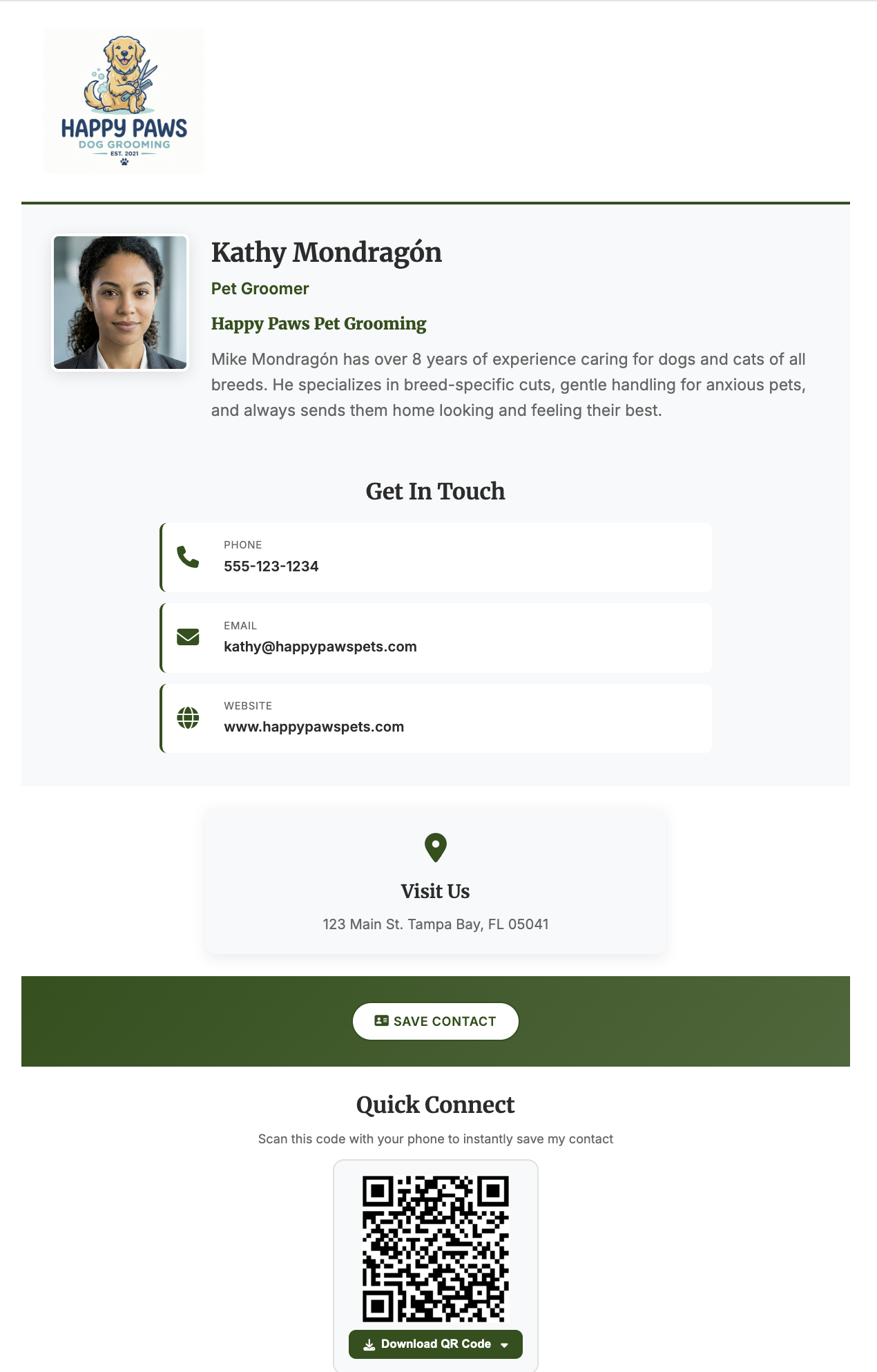
Instead of handing someone a card they'll lose, you show them a QR code — on your phone, on a printed card, on a flyer at the vet's office, wherever. They scan it and land on a clean page with your name, photo, services, phone number, and a "Save Contact" button. One tap and you're in their phone. Your name, your number, your business — saved as a contact, not sitting in a drawer.
When their neighbor asks for a pet sitter recommendation three months later, they pull up your contact on their phone and text it over in two seconds. That referral actually connects.
The page updates whenever you need it to. Add a new service, change your phone number, expand your service area — update it once and every QR code you've ever shared points to the new info. No reprinting.
If you want to see what this looks like for a pet service business, check out the digital business card for pet services — it's built specifically for pet sitters, dog walkers, and groomers.
Paper Card + Digital Card Together
You don't have to choose one or the other. A lot of pet sitters print their QR code right on their paper business card. The paper card still works for first impressions — it's something physical to hand over at a meet-and-greet. But the QR code on it makes sure your contact actually gets saved to the pet owner's phone before that card disappears into a purse.
That's the best of both worlds: a professional first impression and a contact that actually sticks.