vCard Garden · For Realtors

Digital Business Card for Realtors

Realtors meet a lot of people. Open houses, showings, referrals, random conversations — it adds up fast. But most of those connections never turn into saved contacts. Paper cards get lost. Generic digital cards get opened once and forgotten. And if someone has to type your number later, they usually don't. A better digital business card for realtors fixes that — give people a simple way to open your contact page, save your details in seconds, and find you when they're ready to call.

Create Your Realtor Digital Business Card
QR code included · No app required · Update anytime
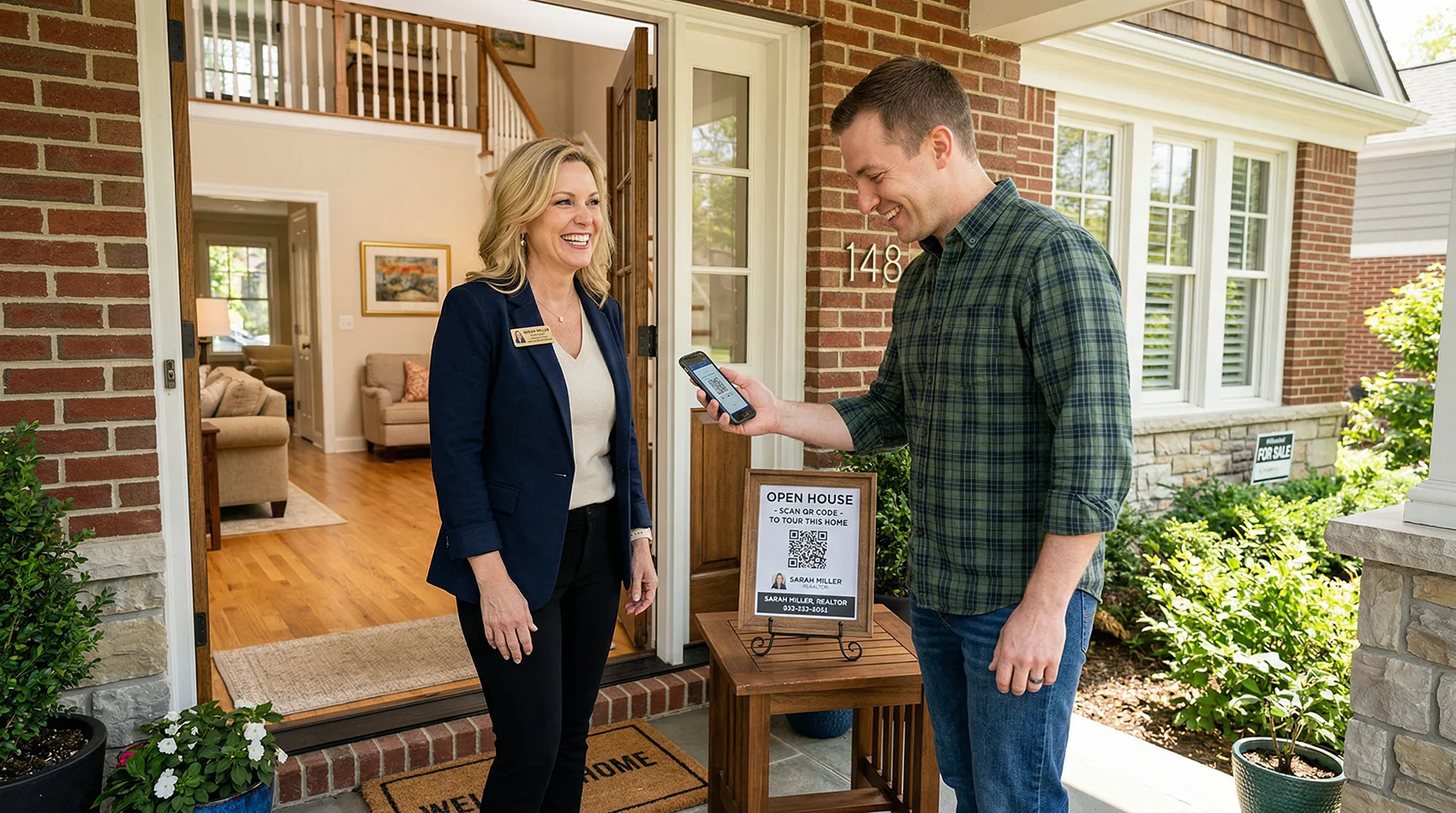
Realtor at open house door with QR code sign for visitors to scan and save contact

What Is the Best Digital Business Card for Realtors?

The best option is not the one with the most features. It's the one that actually gets saved.

Most realtor digital business cards are profile pages dressed up with a QR code. They look fine, but they don't do the one thing that matters: get your contact into a buyer's phone before they walk out the door.

The best realtor digital business card should:
Open instantly on any phone. Include a real Save Contact button. Come with a QR code you can print on anything. Let you update your info without reprinting a single sign. And it should work just as well at an open house as it does on a flyer, a yard sign, or in an email signature — because buyers don't all find you the same way.

That's what vCard Garden is built for. Not a pretty profile page — a digital contact card that behaves like a real tool.

Why Paper Business Cards Fail Realtors

A paper card is easy to hand out and easy to throw away. That's the whole problem.

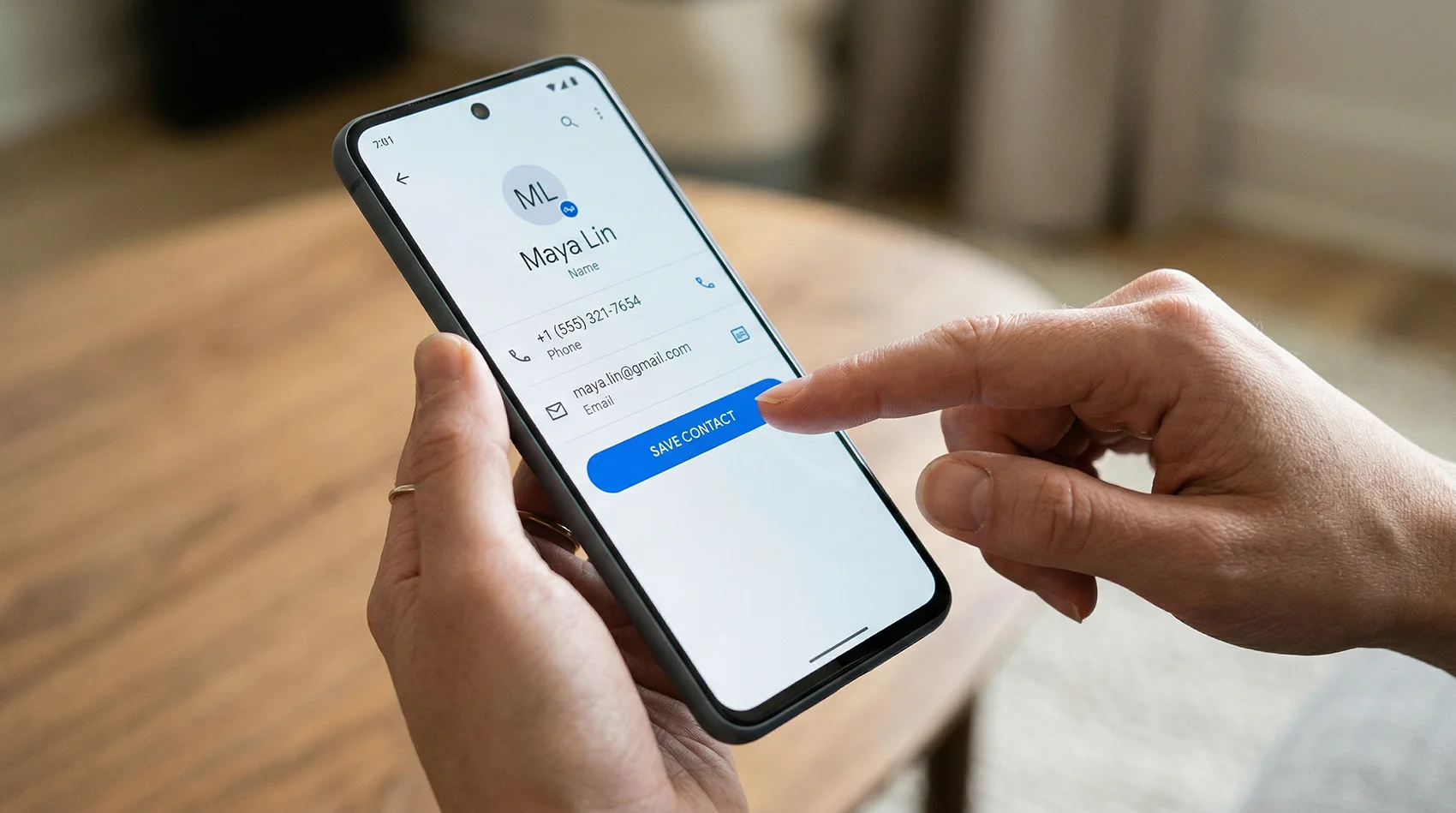
Phone screen showing Save Contact button for a realtor digital business card

One tap. Your contact is saved — name, photo, number, and all.

📋 Paper doesn't survive the week
A business card handed out at an open house on Saturday is usually gone by Monday. Pockets, purses, countertops, trash cans — that's the lifecycle. Even the people who meant to call you don't always find the card again.
✍️ If they have to type your number, most won't
People don't manually key phone numbers into their contacts anymore. If there's any friction between them and saving your info, the moment passes. A digital business card removes that step entirely.
🔄 You can't update a printed card
Change your number, switch brokerages, or get a new email? Every card in circulation becomes wrong. With a digital contact card you update once and every future scan reflects the new info.
📷 No photo means no face
Buyers meet multiple agents in a week. Paper cards don't remind them which face goes with which name. A digital business card with your headshot saves the photo alongside your contact — so when they're ready to call, they remember exactly who you are.
📊 Zero tracking
A stack of paper cards tells you nothing. A digital contact card shows you how many people scanned, when they viewed your page, and which placements are actually generating interest.

What Actually Matters in a Realtor Digital Business Card

Most of this is simple. The problem is that most tools skip the parts that matter most in real-world use.

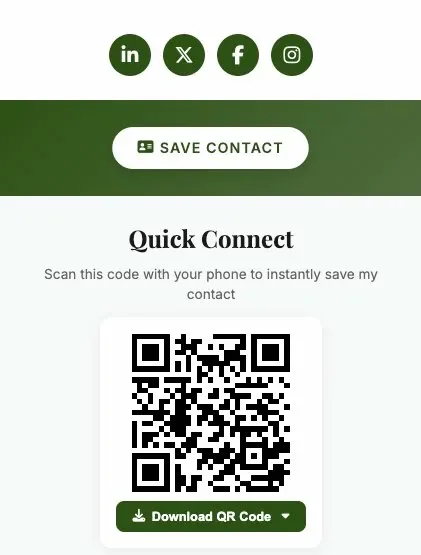
Realtor digital business card open on a phone showing Save Contact button and contact details
📲 Easy to scan, easy to save
The QR code opens your contact page. One tap saves your info. That's the whole flow. It should work that cleanly every time, on any iPhone or Android, without the visitor needing an account or an app.
🖼️ Your photo saves with your contact
This is the one most tools skip. When your headshot saves alongside your name and number, buyers recognize your face when they're scrolling their contacts two weeks later. That recognition matters when they're deciding who to call.
🏠 Listing context on the same page
Add a property address, description, or listing link directly to your card. Buyers who scan at the door see the listing info alongside your contact — they're connecting your name to the property before they've finished the tour.
🔁 Reusable across every listing
One card, every listing. Update the description as needed. Your QR code stays exactly the same, so signs and flyers you've already printed keep working. No reprinting. No dead links.
📞 Click-to-call from the page
Your phone number is tappable. A buyer who scanned at 2pm Saturday can call you at 9am Sunday with one tap — no searching for your card, no typing your number, no guessing your last name.
📊 Scan analytics included
See how many people scanned your QR code and viewed your page. Know which open houses are generating real interest. It's a small data point that adds up across a busy season.

Who vCard Garden is built for

Not every agent needs a $50/month platform with CRM integrations and team dashboards. vCard Garden is for the agents who want something that works in 2 minutes — not 2 weeks.

Solo agents
You're the brand. You need your face, your number, and your listings on a page that buyers can save in one tap. No team features you'll never use. No enterprise pricing.
New agents building a book
You're meeting people everywhere — showings, networking events, community meetups. A QR code on your phone that saves your contact to their phone is worth more than 500 paper cards in a box.
Small brokerages and teams
Give each agent a consistent, branded page with their own headshot and listings. Plans support up to 50 pages — enough for a full office without enterprise pricing.
Agents who don't want another platform
No app to install. No CRM to configure. No onboarding call. Fill out a form, publish your page, download your QR code. That's the entire setup.

How Realtors Use a Digital Business Card in Real Life

The best realtor digital business card should still be useful a week later, when the buyer is finally ready to call. Here's where it fits into actual day-to-day work.
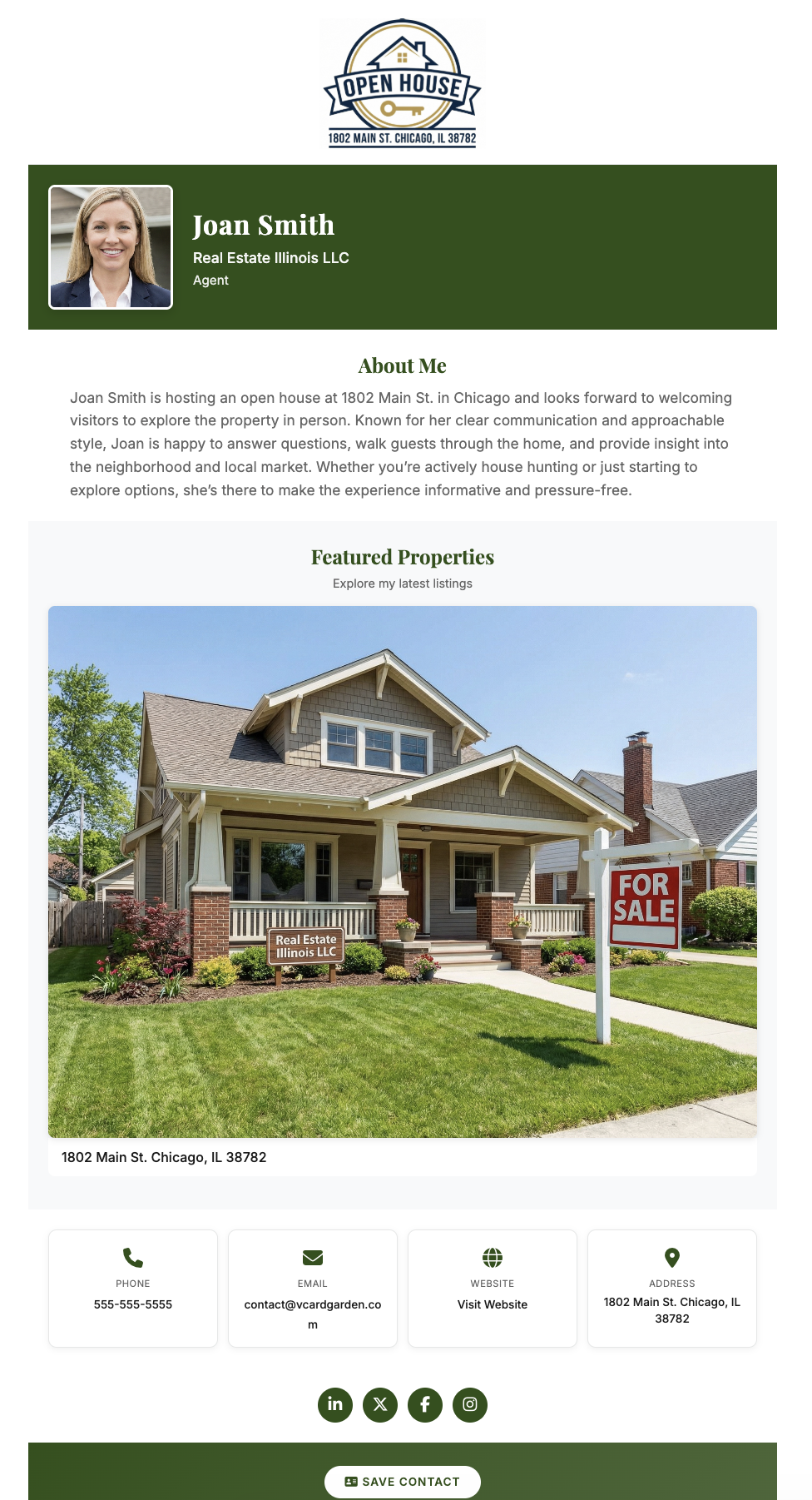
Realtor contact card showing open house listing and Save Contact button on phone

One card. Every situation. Always current.

Open Houses
Your best use case for QR scanning
Put your QR code at the entry table, kitchen counter, yard sign, or front door. Visitors scan while they're still inside. Your contact is saved before they've finished walking through. No paper, no typing, no awkward ask. See the full open house setup on our open house QR code sign-in page.
Property Flyers
Turn handouts into saved contacts
Add your QR code to every printed flyer. Someone takes a flyer home, scans it that night while looking at houses online, and saves your contact. The flyer becomes a bridge between print and phone — something paper cards never did.
Yard Signs
Capture drive-by interest
Neighbors and drive-by traffic can scan your QR code directly from the sign. Your contact is saved before they've even walked in. The people most likely to refer you are often the ones already living on the street.
After Showings
No fumbling for a card at the door
Instead of texting loose contact details or hoping they saved your number from an email, pull up your QR code on your phone screen. They scan, you're saved. Cleaner than handing over a card and faster than typing out your info.
Networking and Referrals
Mortgage brokers, vendors, past clients, other agents
Most referral relationships start with a contact being saved. When you're at an event or meeting someone new, being easy to save is the first step to being easy to recommend.
Social Bios and Email Signatures
One clean link that does everything
Drop your card URL into your Instagram bio, LinkedIn profile, or email signature. Instead of listing scattered contact details, you give people one place that has everything — and a button to save it.

How vCard Garden Compares to Other Digital Business Cards for Realtors

There are several digital business card platforms built for real estate agents. They range from simple contact pages to full lead-capture platforms with NFC hardware and CRM pipelines. Here's how they compare on the features that matter most.

Feature vCard Garden Wave Connect Popl HiHello
Headshot + brokerage logo
Property listings on card ✓ Up to 5
One-tap Save Contact
QR code included ✓ Free
Page analytics ✓ (paid)
Lead capture forms
CRM integration
NFC card hardware ✓ ($30+) ✓ ($25+)
Setup time 2 minutes 15–30 minutes 10–20 minutes 5–10 minutes
Starting price $9/mo $4/mo (basic)
$10/mo (pro)
$8/mo $6/mo
Free trial ✓ 14 days, no card ✓ Limited ✗ Must buy card ✓ Free tier
Best for Solo agents who want a professional page live in minutes Teams needing lead capture + CRM Agents who want NFC hardware Agents who want a free basic card

Pricing and features based on publicly available information as of April 2026. Check each provider's site for current details.

When to choose vCard Garden (and when not to)

If you're running a 50-agent brokerage and need every lead piped into Salesforce with automated drip campaigns, vCard Garden isn't the right tool. Platforms like Wave Connect and Popl are built for that — and priced for it.

But if you're a solo agent, a small team, or someone who just wants a professional page with your headshot, your listings, and a Save Contact button — without learning another platform or paying enterprise prices — that's exactly what vCard Garden does. Two minutes to set up. $9/month after the free trial. No hardware to buy, no app to install, no CRM to configure.

Most agents don't need a lead-capture pipeline. They need buyers to save their number. That's what this does.

Set up your realtor contact card in 2 minutes

No coding. No design work. No learning curve. If you can fill out a form, you can build your digital business card.

Step 1

Choose the Real Estate Agent template

Start with a layout built specifically for real estate. It includes sections for your headshot, brokerage logo, bio, property listings, and contact info — all formatted and ready. No design decisions needed.
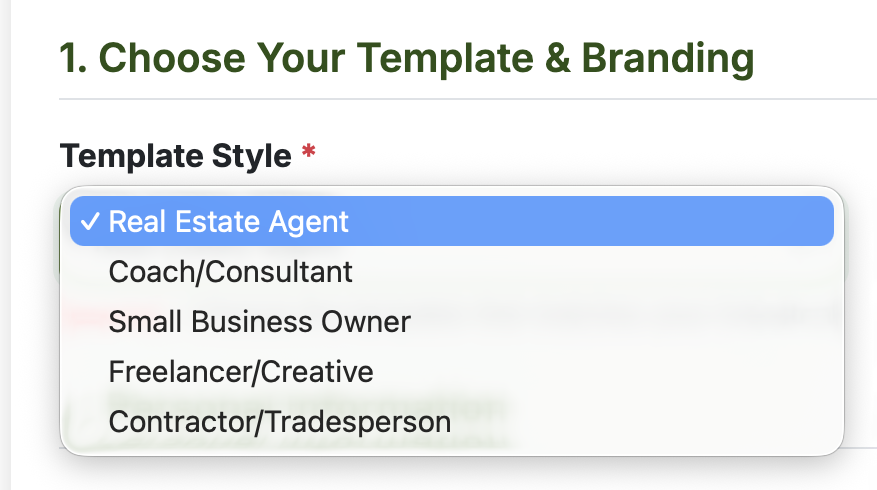
Choosing the Real Estate Agent template in vCard Garden
Step 2

Add your contact info and headshot

Fill in your name, phone, email, website, and brokerage address. Upload your headshot and brokerage logo — both appear on your page, giving buyers a face to remember and a brand to trust. Everything is optional, so start with the basics and add more later.
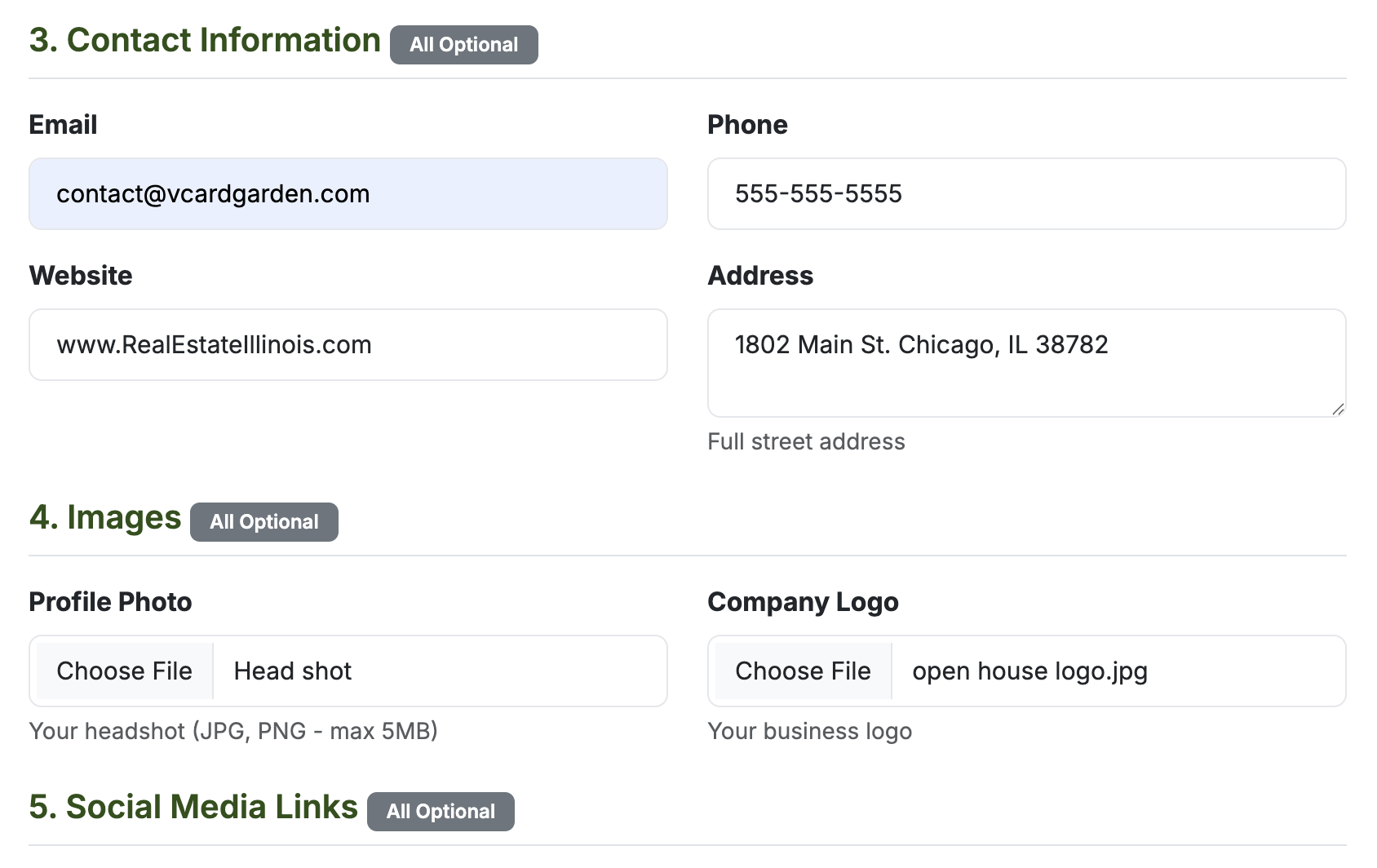
Adding contact information, headshot, and brokerage logo in vCard Garden
Step 3

Add your property listings

Upload a photo of the property, add a short description, and link to the full listing on Zillow, Realtor.com, or your own site. Buyers can tap directly through to the listing from your page. You can add up to 5 properties — useful for showcasing your current inventory to every buyer you meet.
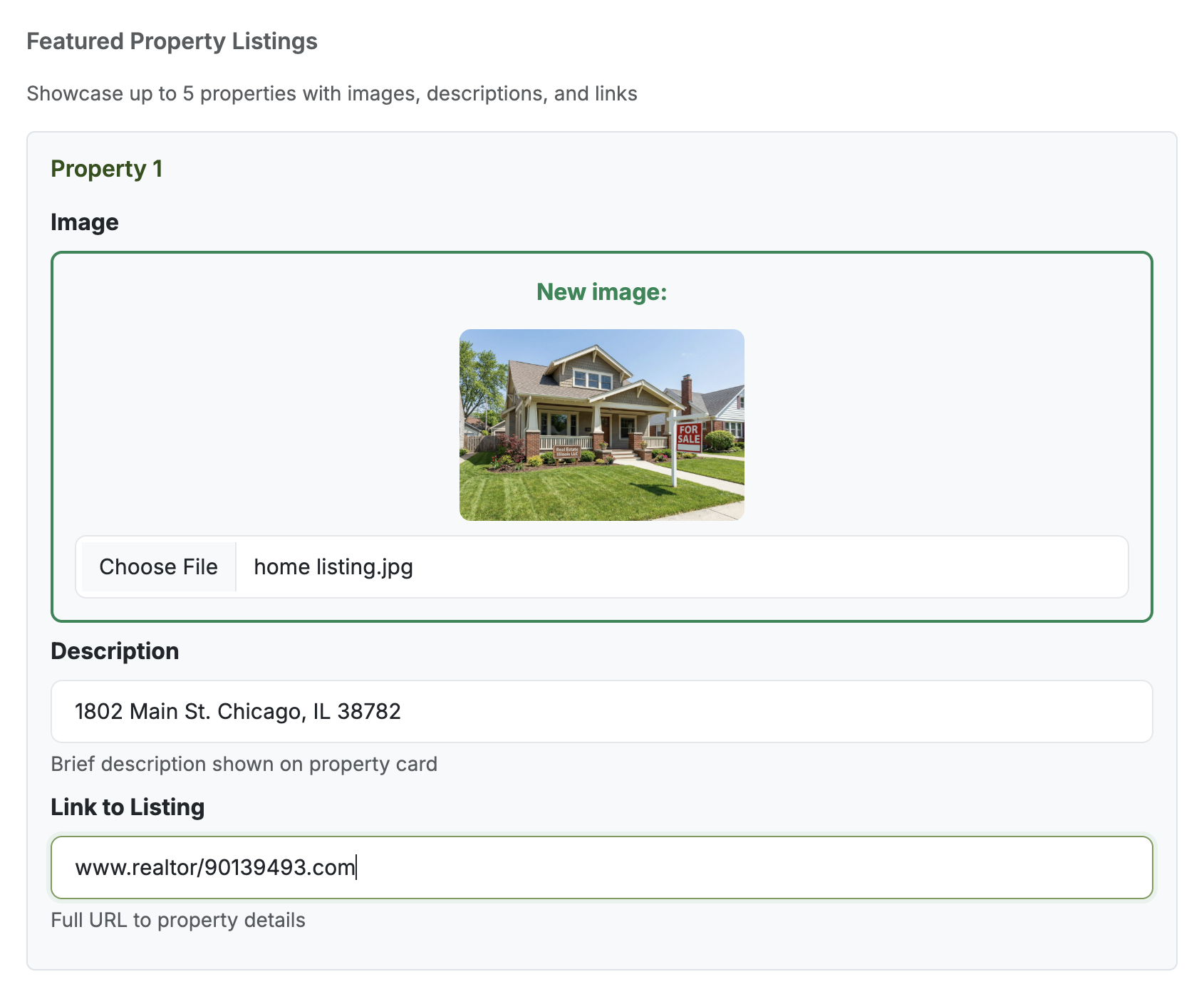
Adding a featured property listing with photo and link in vCard Garden
Step 4

Publish and download your QR code

Before you publish, you see exactly what buyers will see — the finished page on mobile. When it looks right, hit publish. Your realtor contact card goes live at vcardgarden.com/your-name, your QR code is ready to download, and you can print it on yard signs, flyers, or business cards before your next showing.
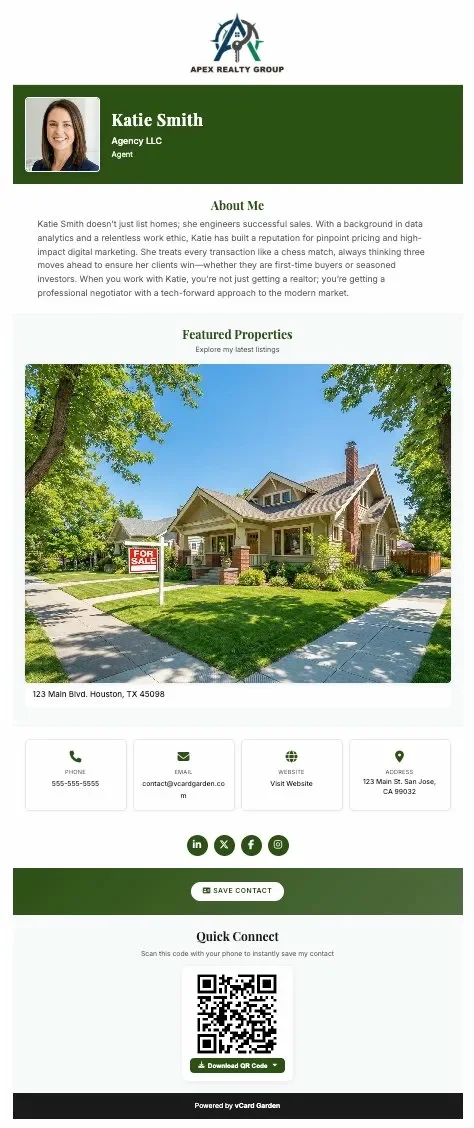
Live preview of the finished realtor digital business card

Know who's looking at your card

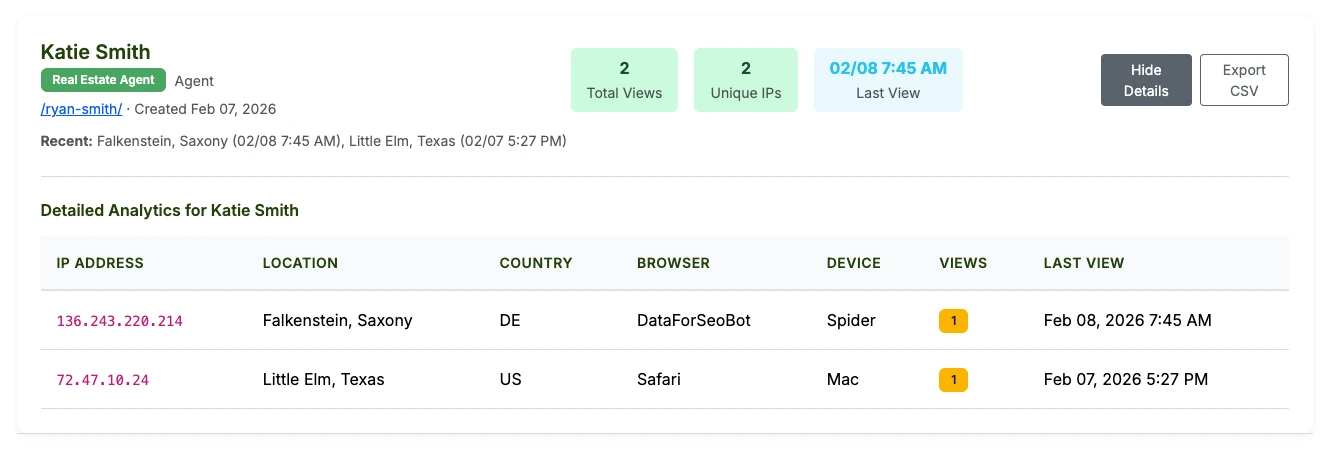
Every page includes a built-in analytics dashboard. See how many people viewed your realtor vCard, where they came from, what device they used, and when. No extra tools to set up.
vCard Garden analytics dashboard showing page views, unique visitors, location, and device data for a real estate agent

Update your card without reprinting a single thing

Real estate moves fast. Listings go active and go pending. Brokerage affiliations change. Phone numbers get updated. With paper cards, any change means a reprint — design time, print cost, and a stack of cards that are now wrong.

With a vCard Garden digital business card, you log in, make the change, and it's live in seconds. Your QR code, your shareable link, your yard signs — all still work and all now point to the updated info. Swap the featured listing in two minutes. No reprinting. No waste. It's the simplest way to share contact info with a QR code that never goes stale.

2 min
Average setup time
$0
Reprinting cost when info changes
5
Active listings you can feature

Simple pricing

Start free for 14 days. After that, plans start at $9/month — less than a single box of business cards that'll be outdated in six months.

Starter
$9/mo
  • Up to 5 pages
  • QR code + Save Contact
  • Headshot + logo upload
  • Up to 5 property listings
  • Basic analytics
Pro Most Popular
$19/mo
  • Up to 25 pages
  • Everything in Starter
  • Export analytics to CSV
Business
$29/mo
  • Up to 50 pages
  • Everything in Pro

Frequently Asked Questions

What is a digital business card for realtors?
It's a mobile-friendly contact page that includes your name, photo, phone, email, brokerage, and a QR code. Buyers and sellers scan the code and save your contact directly to their phone in one tap. No app required on their end.
What is the best digital business card for real estate agents?
The best one is the one people actually save. It should work on any phone, include a QR code, allow updates anytime, and be usable at open houses, on flyers, on signs, and after showings. Generic profile pages don't clear that bar for most realtors.
How is vCard Garden different from Popl, HiHello, or Wave Connect?
vCard Garden is built for agents who want a clean contact page with their headshot, listings, and a Save Contact button — live in 2 minutes for $9/month. Platforms like Popl, Wave Connect, and HiHello offer NFC hardware, CRM integrations, and lead capture forms, but they cost more and take longer to set up. If you need enterprise features, those platforms are built for that. If you need a professional contact page that works now, vCard Garden is the simpler choice.
What is a realtor vCard?
A vCard is a digital contact file (.vcf) that saves directly to a phone's contacts. vCard Garden creates a full realtor contact page — your photo, listings, bio, and social links — with a built-in vCard download so buyers save your info with one tap.
Can I add my property listings?
Yes. Up to 5 listings with a photo, description, and link to the full listing on Zillow, Realtor.com, or your own site. You can update them anytime as your inventory changes.
Can a realtor use a QR code business card?
Yes. A QR code business card for realtors links the code to your digital contact page. Visitors scan with any phone camera, your page opens instantly, and they tap Save Contact. It works on signs, flyers, and phone screens without any special hardware.
Do buyers need an app?
No. Any iPhone or Android camera scans the QR code. Your contact page opens in their browser. Nothing to download, no account required.
Can I update my realtor digital business card later?
Yes. Log in, update your info, and it goes live immediately. Your QR code never changes — so printed signs and flyers keep working even after you've made edits.
Is a digital business card better than a paper card for realtors?
For most situations, yes. A paper card is easy to hand out and easy to throw away. A digital business card gets saved directly to a buyer's phone — which is where they'll look when they're ready to call.
Can I put my digital business card on flyers and yard signs?
Yes. Download your QR code as a PNG or SVG and drop it on any printed material. Buyers scan from the flyer or sign, your page opens, and they save you in seconds.
Is there a free trial?
Yes — 14 days free, up to 3 pages, no credit card required. You can have your realtor digital business card live and share it at a real showing before you spend anything.

Related pages

Create a Realtor Digital Business Card Buyers Can Actually Save

Add your photo and contact details. Download your QR code. Use it on signs, flyers, and at open houses. Start free and update your card anytime.

Try It Free for 14 Days →
14-day free trial · No credit card required · Cancel anytime