What to Put on a Real Estate Digital Business Card (Checklist)
July 24, 2026 • Updated 2 months, 4 weeks ago
Last updated: July 2026
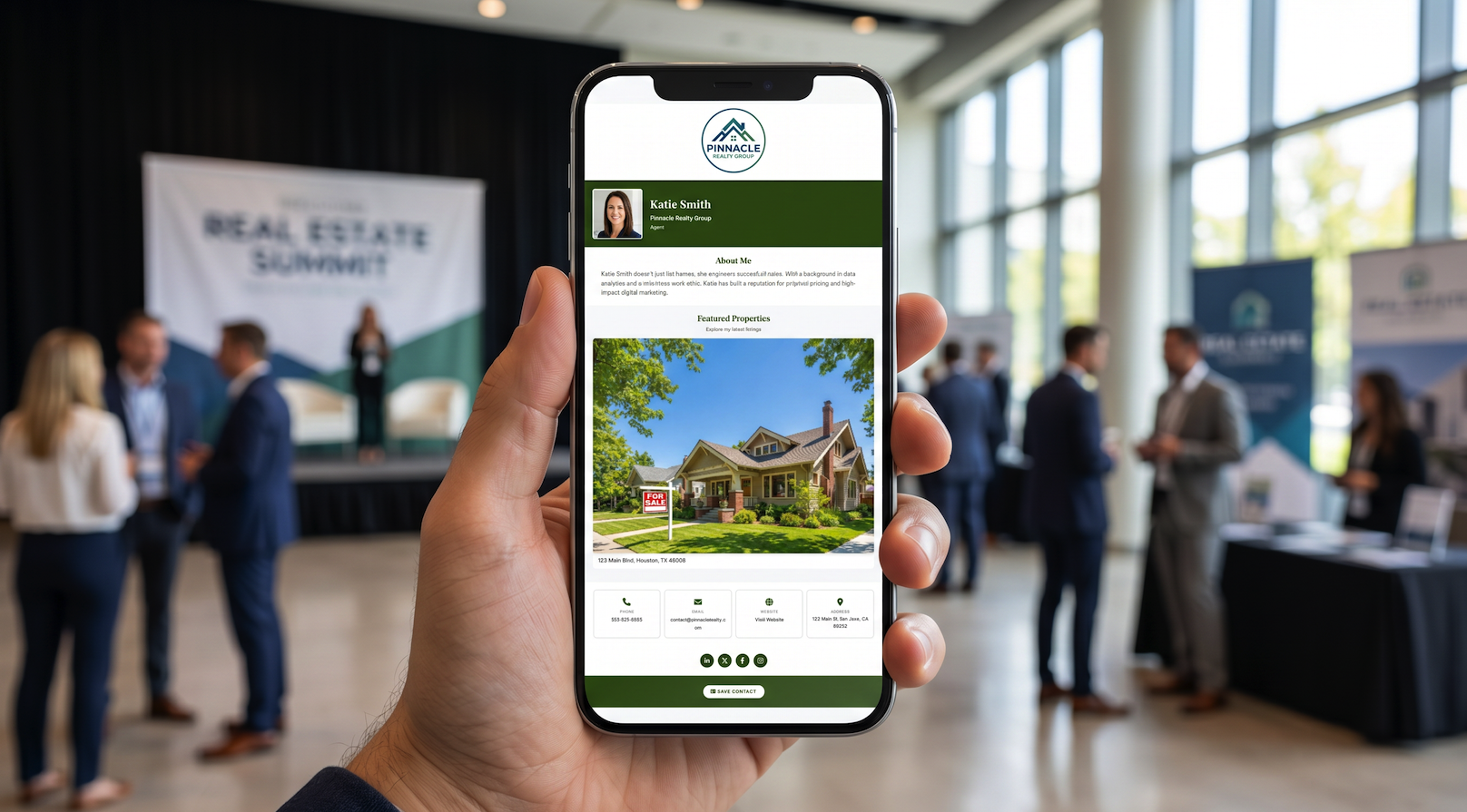
You got the idea — a digital business card is better than paper. But now you're staring at a blank form wondering what actually goes on it. Too little and it looks empty. Too much and buyers won't read it. Here's exactly what to include on a real estate digital business card, in the order that matters most.
The Must-Haves
These are non-negotiable. Every digital business card for realtors should include these five things — they're what buyers are looking for in the ten seconds after they scan your QR code.
1. Your Headshot
Real estate is a face-to-face business. Buyers meet multiple agents at showings, open houses, and networking events. A headshot at the top of your card is how they remember which agent is which on Monday morning. Use a professional photo with good lighting — not a cropped group photo or a five-year-old selfie.
2. Your Name and Title
Full name, plus your title — Realtor, Licensed Real Estate Agent, Broker Associate, whatever applies. This seems obvious, but plenty of agents skip the title and lose the credibility signal. If you have designations (CRS, ABR, GRI), include them here.
3. Phone Number
Make it tappable. On a digital card, your phone number should be a click-to-call link so buyers can reach you without copying and pasting. Use the number you actually answer — your cell, not a brokerage front desk that rings six times and goes to a general voicemail.
4. Email Address
Same rule: make it tappable. One tap should open a new email addressed to you. Use your professional email, not a personal Gmail. If your brokerage gives you a branded address, use it — it reinforces that you're the real deal.
5. Save Contact Button
This is the whole point. A one-tap button that downloads your name, phone, email, and photo directly into the buyer's phone contacts. Without this, your digital card is just a web page they'll close and forget. With it, you're in their phone permanently — and your face shows up every time you call or text them.
What Makes a Great Real Estate Card (Not Just a Good One)
The five basics get you saved. These extras get you called.
Your Brokerage Logo
Buyers trust brands they recognize. If you're with a known brokerage, the logo adds instant credibility. Even if you're independent, a clean logo makes your card look polished and professional rather than thrown together.
Property Listings
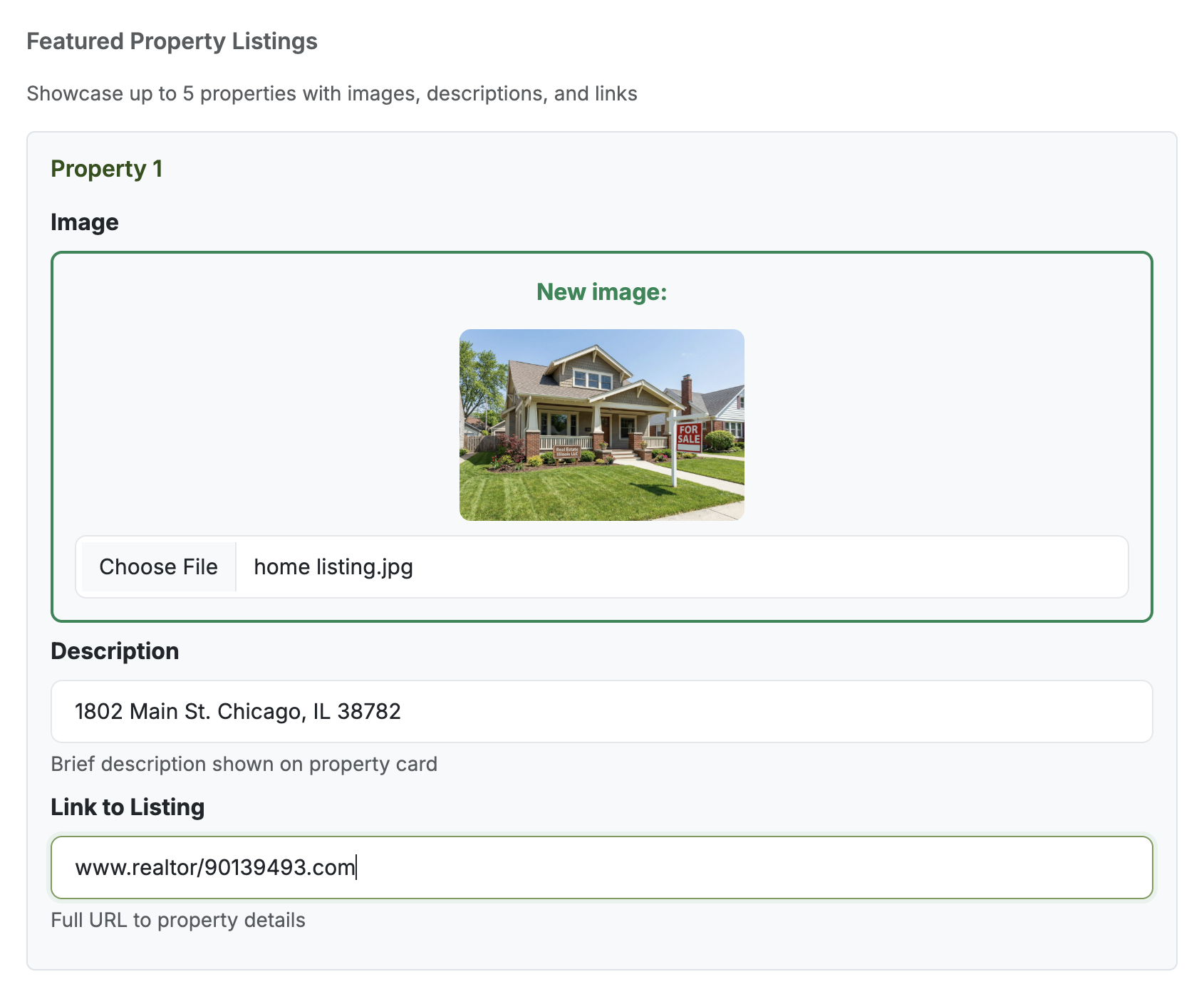
This is what separates a real estate digital business card from a generic contact page. Add your active listings — a photo, a short description, and a link to the full listing on Zillow, Realtor.com, or your own site. Every time a buyer opens your card, they see what you're selling right now. It turns a contact card into a mini portfolio. Most platforms let you add 3–5 listings, which is enough to showcase your current inventory without overwhelming the page.
A Short Bio
Two to three sentences about who you are and what areas you serve. Not your life story — just enough for a buyer to know they're talking to someone who knows their neighborhood. Something like: "Helping first-time buyers in North Dallas find homes they can actually afford. 8 years in residential real estate, 200+ closed transactions."
Social Media Links
If you post listings on Instagram, market on Facebook, or network on LinkedIn — link those profiles. Buyers who aren't ready to call today might follow you instead and reach out in three months when they're ready. Make sure the profiles you link are active and professional. A LinkedIn with no photo or an Instagram you haven't posted on since last year does more harm than good.
Your QR Code
A real estate business card with a QR code should let you download and print it on yard signs, open house flyers, paper business cards, and email signatures. The QR code points to your digital card, so when your info changes, every printed code still works. No reprinting.
What to Leave Off
More isn't better. A cluttered card is a card that doesn't get read.
Your full mailing address. Buyers don't need to know where your office is to hire you. If they need directions, they'll ask. A city and state is enough for location context.
A mission statement. "Committed to delivering world-class real estate experiences with integrity and passion" tells the buyer nothing. Skip it. Your listings and your responsiveness speak louder.
Every designation you've ever earned. Pick the two or three that matter most to your market. A wall of acronyms after your name looks cluttered and most buyers don't know what they mean anyway.
Multiple phone numbers. One number. The one you answer. If you list an office line, a cell, and a fax number, the buyer has to guess which one to call — and they might not call any of them.
Links to every social platform. Only link profiles you actively maintain. A dead Twitter account and an empty TikTok page don't add value — they signal that you start things and don't finish them.
Real Estate Digital Business Card Checklist
To summarize, here is the complete checklist of what to put on a real estate digital business card:
- Professional headshot
- Full name + title/designations
- Tappable phone number (your cell)
- Tappable email address (professional)
- One-tap Save Contact button with vCard download
- Brokerage logo
- 2–5 active property listings with photos and links
- Short bio (2–3 sentences, area + experience)
- Social links (only active profiles)
- Downloadable QR code for print materials
Build Yours in 2 Minutes
If you want a contactless solution built specifically for real estate agents — with a headshot, brokerage logo, property listings, and a one-tap Save Contact button — vCard Garden has a real estate template that covers everything on this list. It takes about two minutes to set up and includes a free QR code you can print anywhere.
Start your free 14-day trial — no credit card required.